
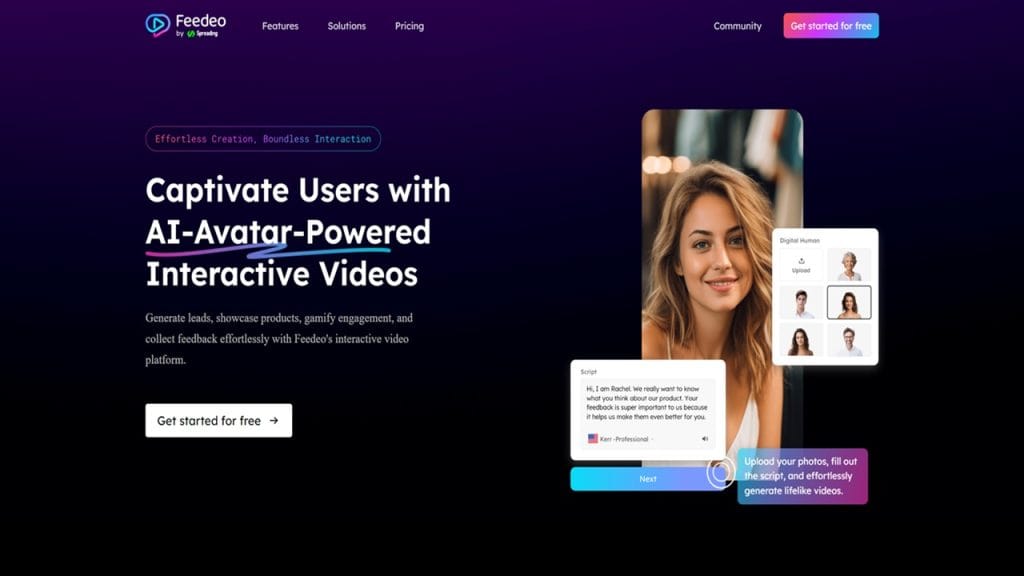
Feedeo
- Verified: Yes
- Categories: Video Editing, Video Enhancer
- Pricing Model: Freemium
- Website: Feedeo Official Website
What is Feedeo?
Feedeo is an advanced video editing and enhancing tool designed to streamline the process of creating high-quality videos without the need for complex software. It allows both amateurs and professionals to produce polished, eye-catching content with ease. Whether you’re a content creator, marketer, or casual user, Feedeo helps you improve your videos by offering a range of powerful features, all while simplifying the video editing experience. From automatic enhancements to customizable effects, Feedeo’s tools can cater to various video creation needs, ensuring that your footage looks professional with minimal effort. 🎥
Key Features
- Feature 1: Automatic Video Enhancements
Feedeo offers an AI-driven feature that automatically enhances your videos, improving colors, lighting, and overall quality with just a few clicks. This is ideal for those who want to save time and still produce high-quality results. - Feature 2: User-Friendly Interface
With a clean and easy-to-navigate interface, Feedeo ensures that even beginners can jump right in and start editing their videos without feeling overwhelmed. The intuitive design guides you through the editing process seamlessly. - Feature 3: Extensive Editing Tools
Feedeo provides a wide range of video editing tools, including trimming, cropping, adding transitions, and inserting text overlays. This makes it suitable for both simple edits and more complex video projects. - Feature 4: High-Resolution Export
Export your videos in high resolution, ensuring that your final product looks stunning on any platform. Feedeo supports various formats and resolutions, making it perfect for social media, websites, and presentations. - Feature 5: Freemium Model
Feedeo’s freemium model allows users to access a wide array of features for free, with the option to upgrade to a premium version for additional tools and advanced options. This flexibility is great for users with varying needs and budgets.
✅ Pros
- Time-Saving AI Enhancements
Feedeo’s AI-driven automatic enhancements save you hours of work. Instead of manually adjusting each setting, you can let Feedeo optimize your video in a few simple steps. This is especially useful for busy content creators. - Beginner-Friendly Interface
Whether you’re a seasoned pro or a complete novice, the simple, user-friendly interface makes video editing accessible to everyone. No need to be a tech expert to produce professional-looking videos. - High-Quality Exports
The ability to export your video in high resolution means that your content will always look sharp and polished, regardless of the platform. This is especially beneficial for social media influencers or businesses looking to enhance their branding. - Freemium Access
The freemium model allows you to try out Feedeo’s basic features for free before committing to a paid subscription. This gives you the flexibility to decide if it suits your needs without any upfront cost.
❌ Cons
- Limited Features in Free Version
While the freemium version offers great basic tools, the premium features are where the full potential of Feedeo shines. Users may find the free version a bit limited if they need advanced functionalities. - Learning Curve for Advanced Features
Some of the more advanced features may require a bit of time to get used to. For users unfamiliar with video editing, learning these tools might take a little extra effort.
- Limited Features in Free Version
- Occasional Performance Lag
On lower-end devices, users have reported occasional lags, especially when handling larger video files or complex edits. This can impact workflow and the overall editing experience.
Feedeo Tool Review: Who is Using Feedeo and What Sets It Apart
Who is Using Feedeo?
Primary Users:
Feedeo is popular among a wide range of users, from casual video creators to seasoned professionals. Its accessibility and powerful features make it suitable for:- Content Creators: Individuals or brands looking to enhance their video content for social media platforms like YouTube, Instagram, or TikTok.
- Marketers: Professionals needing to produce high-quality promotional videos, ads, or explainer videos with minimal editing time.
- Videographers: People who handle larger video projects and require advanced editing tools but still appreciate the simplicity that Feedeo offers.
- Educators and Trainers: Users who want to create polished educational videos, tutorials, or training material with minimal effort.
Use Cases:
- YouTube Content Creation: Feedeo’s easy-to-use tools and automatic enhancements make it perfect for YouTubers who want to create engaging, high-quality videos without spending excessive time on editing.
- Business Marketing Videos: Businesses use Feedeo to create promotional videos or ads that require a professional finish, all without hiring a dedicated video editing team. The ability to enhance videos quickly and effectively is a major benefit here.
- Social Media Influencers: Influencers on Instagram or TikTok benefit from Feedeo’s ability to quickly enhance videos and add eye-catching effects. It helps them produce polished content that stands out on crowded social media platforms.
Pricing
Feedeo offers a freemium model with multiple pricing tiers to suit various user needs.
- Free Plan – $0: Includes basic video editing features like trimming, cropping, and applying filters. This is perfect for users who want to get a feel for the platform without any investment.
- Pro Plan – $19/month: Unlocks advanced features such as high-resolution exports, custom transitions, and AI-driven enhancements. This plan is ideal for small businesses or video creators who need more control over their videos.
- Business Plan – $49/month: Geared towards larger teams and professional videographers. It includes all the features of the Pro Plan, along with collaboration tools and priority support.
Note: For the most accurate and up-to-date pricing details, always refer to the official website.
What Makes Feedeo Unique?
Feedeo stands out in the crowded video editing market due to its seamless blend of simplicity and advanced features. Some key aspects that make Feedeo unique include:
- AI-Powered Video Enhancement: Feedeo’s AI-driven algorithms can automatically adjust your video’s brightness, color, and clarity, making the editing process faster and more efficient. This feature appeals to both novice users and professionals who want to save time on manual edits.
- Intuitive User Interface: The clean, easy-to-navigate interface ensures that users of all skill levels can dive into video editing without feeling overwhelmed. Feedeo provides a streamlined experience that focuses on ease of use while still offering powerful features for experienced editors.
- Freemium Access: Feedeo’s freemium model allows users to access core features at no cost, with the option to upgrade to premium plans for advanced tools and features. This flexibility helps users try out the platform without any upfront commitment.
Compatibilities and Integrations
Feedeo is designed to work well within various ecosystems and can integrate with popular tools used by professionals:
- Integration 1: Adobe Photoshop – Feedeo allows for seamless integration with Adobe Photoshop, so users can create custom graphics or textures that can be incorporated directly into video projects.
- Integration 2: After Effects – If you’re already using After Effects for motion graphics or complex animations, Feedeo works well alongside it, allowing you to refine and enhance video content without needing to switch tools.
- Integration 3: DaVinci Resolve – For color correction or detailed post-production work, Feedeo complements DaVinci Resolve, giving users additional ways to optimize video quality.
- Hardware Compatibility: Feedeo is compatible with Apple Silicon chips and Nvidia/AMD GPUs, ensuring smooth performance on a wide range of devices. The tool’s optimization allows it to run efficiently on both Mac and Windows systems.
- Standalone Application: Yes, Feedeo is a standalone application that doesn’t require additional software or complex setup to use. It’s designed to be self-sufficient for most video editing needs, making it a great all-in-one solution.
Tutorials and Resources of Feedeo
Feedeo offers a variety of learning resources to help both new and experienced users get the most out of the tool. Here’s a rundown of the available tutorials and documentation:
- Official Documentation: Feedeo’s website includes a detailed user guide that covers everything from installation to advanced features. The documentation is regularly updated, ensuring you have access to the latest tips and tricks.
- Video Tutorials: Feedeo provides a series of video tutorials for visual learners. These tutorials walk you through the basics as well as more complex features, showing you how to make the most of the editing tools, export options, and more.
- Community Forum: For users who prefer a more interactive learning experience, Feedeo hosts an active community forum where you can ask questions, share tips, and learn from other users’ experiences.
- Customer Support: Feedeo’s customer support is readily available through email and live chat, offering fast responses to any issues or questions you might have.
These resources make it easier for users to learn and master Feedeo, ensuring a smoother editing experience from start to finish.
How We Rated It
Criteria | Rating |
Accuracy and Reliability | ⭐⭐⭐⭐⭐ |
Ease of Use | ⭐⭐⭐⭐⭐ |
Functionality and Features | ⭐⭐⭐⭐⭐ |
Performance and Speed | ⭐⭐⭐⭐ |
Customization and Flexibility | ⭐⭐⭐⭐ |
Data Privacy and Security | ⭐⭐⭐⭐⭐ |
Support and Resources | ⭐⭐⭐⭐⭐ |
Cost-Efficiency | ⭐⭐⭐⭐ |
Integration Capabilities | ⭐⭐⭐⭐⭐ |
Overall Score | ⭐⭐⭐⭐⭐ |
Feedeo is a highly versatile video editing tool that blends advanced features with ease of use, making it suitable for a wide range of users—from beginners to professionals. The automatic AI enhancements, intuitive interface, and freemium pricing model make it an attractive option for content creators, businesses, and videographers alike.
The tool’s strengths lie in its powerful editing features, integration capabilities, and exceptional ease of use. It’s perfect for anyone looking to enhance their videos quickly and efficiently without the need for complicated software or steep learning curves.
However, while the free plan is quite useful, the premium features are where Feedeo really shines. Advanced users who need full control over their edits and exports may find the premium version indispensable.
Overall, Feedeo is a great choice for anyone looking to streamline their video editing process while maintaining high-quality results. The tool’s combination of performance, affordability, and ease of use makes it a standout in the video editing space.







