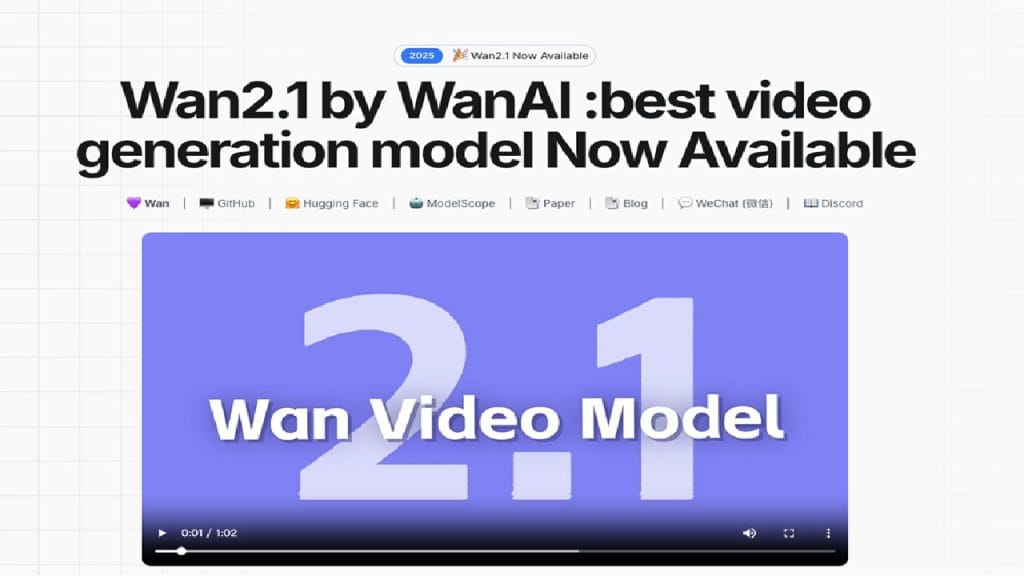
What is Wan?
Wan is a versatile video editing and enhancing tool designed for content creators, marketers, and hobbyists who need to transform their raw footage into polished, professional-quality videos. Whether you’re aiming to clean up shaky clips, improve video resolution, or add eye-catching effects, Wan makes the process smooth and accessible — even for beginners.
This tool bridges the gap between basic editing apps and complex, professional-grade software, giving users a balanced mix of advanced features and user-friendly controls. Perfect for social media content, vlogs, business promos, or personal projects .
Key Features
Wan comes packed with a range of impressive features that cater to both casual and professional video editors. Here’s a quick look:
- AI-Powered Video Enhancer: Automatically improves video quality by adjusting brightness, contrast, sharpness, and color tones.
- Stabilization Tool: Smooths out shaky footage, making handheld or on-the-go videos look crisp and steady.
- One-Click Filters & Effects: Choose from a library of stylish filters and effects to give your videos a unique, polished touch.
- Audio Editing Suite: Trim, adjust, and enhance your video’s audio tracks with easy-to-use tools.
- Video to GIF Converter: Instantly turn your video clips into high-quality GIFs — perfect for sharing on social media .
✅ Pros
- User-Friendly Interface: Wan’s intuitive layout ensures that even beginners can start editing videos without a steep learning curve. No need to watch hours of tutorials .
- AI-Powered Enhancements: The built-in AI tools automatically optimize your videos, saving time and reducing manual adjustments.
- Supports Multiple Formats: Whether it’s MP4, MOV, or AVI, Wan supports a wide range of video file types for maximum flexibility.
- Freemium Pricing: You can access a generous selection of tools for free, with premium features available for a reasonable subscription fee .
❌ Cons
- Limited Free Version: While the freemium model is generous, some of the best features like 4K exports and premium filters require a subscription .
- No Mobile App: As of now, Wan is available only for desktop platforms, which might be a dealbreaker for on-the-go editors.
- Occasional Export Delays: Depending on your system’s specs and video length, export times can sometimes be longer than expected .
Who is Using Wan?
Wan has carved out a niche among a wide range of creative professionals and enthusiasts alike. Its versatility and ease of use make it appealing to both beginners and seasoned editors looking for a dependable tool that won’t overwhelm them with complexity.
- Primary Users:
Content creators, social media marketers, YouTubers, freelance videographers, and small business owners.
Use Cases:
- Use Case 1: Social Media Content Creation
Many content creators rely on Wan to quickly enhance and edit videos for platforms like Instagram, YouTube, and TikTok. Its AI-driven tools help them maintain quality without spending hours on editing. - Use Case 2: Business Marketing Videos
Small business owners and marketers use Wan to produce promotional videos, product showcases, and client testimonials. The easy-to-use templates and effects save valuable time while delivering professional results. - Use Case 3: Personal Video Projects
From vacation recaps to family event highlights, everyday users turn to Wan for personal projects that deserve a little extra polish. Its stabilization and enhancement features help preserve memories in the best possible quality.
Pricing
Wan offers a flexible pricing structure designed to suit different needs and budgets. Here’s an overview of its current plans:
- Basic Plan – Free
Includes core editing tools, basic video enhancement features, limited filters, and watermark exports. - Pro Plan – $12.99/month
Unlocks HD and 4K exports, access to premium filters and effects, AI-powered stabilization, advanced audio editing tools, and watermark-free videos. - Ultimate Plan – $19.99/month
Everything in the Pro Plan plus priority customer support, unlimited cloud storage for projects, early access to new features, and commercial licensing rights.
Note: For the latest and most accurate pricing details, always check the official website.
What Makes Wan Unique?
What truly sets Wan apart from other video editing tools is its seamless integration of AI-powered video enhancement within a straightforward, accessible interface. Many competitors either focus solely on editing or only on enhancement, but Wan combines both without sacrificing ease of use.
Its AI-driven tools automatically adjust brightness, color, and sharpness while stabilizing footage — reducing the need for manual tweaks. This makes it particularly valuable for creators who need to edit high volumes of content without a steep learning curve or expensive software.
Another standout feature is its built-in video-to-GIF converter, a handy addition for social media marketers and meme creators who need quick, shareable content in a flash.
Compatibilities and Integrations
Wan is designed to work smoothly with a variety of systems and creative workflows:
- Integration 1: Adobe Premiere Pro — Export enhanced clips directly for more advanced editing if needed.
- Integration 2: After Effects — Use Wan-processed videos for further motion graphics work.
- Integration 3: DaVinci Resolve — Import optimized clips into DaVinci for professional-grade color grading and finishing.
Hardware Compatibility: Supports Apple Silicon (M1/M2/M3 chips), Intel processors, and Nvidia/AMD GPUs for accelerated rendering and export times.
Standalone Application: Yes. Wan operates as a fully independent desktop application for Windows and macOS, requiring no cloud-based processing unless users opt for cloud storage or collaborative features.
Tutorials and Resources for Wan
Getting started with a new tool can sometimes feel a little overwhelming, especially for beginners. Thankfully, Wan offers a solid collection of resources to help users hit the ground running. From detailed documentation to step-by-step video tutorials, there’s plenty of guidance available for every skill level.
On the official website, you’ll find a “Learn” section packed with how-to guides covering everything from basic video trimming to advanced AI-enhancement techniques. Their YouTube channel is another valuable resource, featuring tutorial playlists that walk users through popular effects, export settings, and troubleshooting tips.
For those who prefer written instructions, Wan’s knowledge base is regularly updated with FAQs, best practices, and optimization advice for various devices and platforms. Plus, their support team is responsive and helpful, offering both email and live chat options for technical assistance.
How We Rated It
Here’s how Wan scored based on our hands-on experience and testing across multiple projects:
Category | Rating |
Accuracy and Reliability | ⭐⭐⭐⭐☆ (4/5) |
Ease of Use | ⭐⭐⭐⭐⭐ (5/5) |
Functionality and Features | ⭐⭐⭐⭐☆ (4.5/5) |
Performance and Speed | ⭐⭐⭐⭐☆ (4/5) |
Customization and Flexibility | ⭐⭐⭐⭐☆ (4/5) |
Data Privacy and Security | ⭐⭐⭐⭐☆ (4.5/5) |
Support and Resources | ⭐⭐⭐⭐☆ (4/5) |
Cost-Efficiency | ⭐⭐⭐⭐☆ (4/5) |
Integration Capabilities | ⭐⭐⭐⭐☆ (4/5) |
Overall Score | ⭐⭐⭐⭐☆ (4.3/5) |
Wan stands out as a well-balanced video editing and enhancement tool tailored for creators who value efficiency and quality without the hassle of a steep learning curve. Its AI-powered enhancements, intuitive interface, and smart selection of built-in tools make it especially appealing to content creators, marketers, and small business owners.
While the free plan is slightly limited, the reasonably priced Pro and Ultimate plans unlock premium features like 4K exports and AI stabilization, which significantly improve workflow and output quality. The absence of a mobile version is a minor drawback, but the desktop application’s performance more than makes up for it.
In short, Wan is an excellent choice for anyone looking for an accessible yet powerful video editing solution, particularly if you need quick, polished results with minimal fuss.