What is Testsigma?
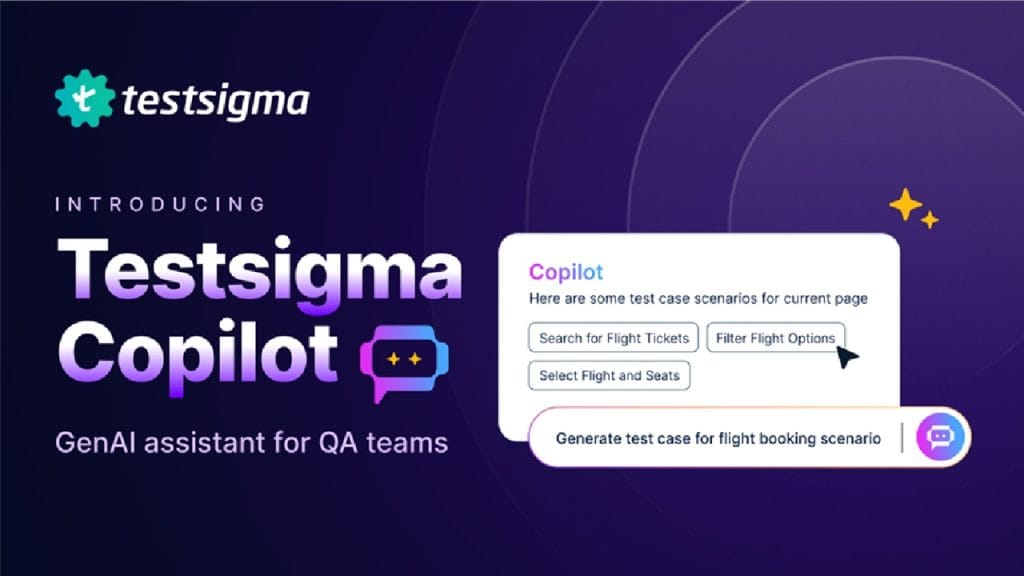
Testsigma is a cloud-based, AI-driven test automation platform designed to make software testing faster and more accessible. It allows teams to create, execute, and manage automated tests for web, mobile, and API applications without needing extensive coding skills. By using natural language processing (NLP), Testsigma lets users write test cases in plain English, making it a game-changer for both technical and non-technical team members. It solves the problem of time-consuming manual testing and complex scripting, enabling Agile and DevOps teams to keep up with rapid development cycles while ensuring high-quality software releases.
Key Features
- Scriptless Test Creation: Write test cases in simple English using NLP, reducing the need for coding expertise.
- Cloud-Based Testing: Run tests on over 800 browser/OS combinations and 2,000+ real mobile devices, eliminating the need for local infrastructure.
- AI-Powered Test Maintenance: Automatically suggests relevant tests and identifies affected test cases when applications change, saving time on updates.
- Parallel Test Execution: Execute thousands of tests simultaneously to speed up feedback and improve release cycles.
- Comprehensive Integrations: Seamlessly connects with tools like Jira, Jenkins, Slack, and BrowserStack for a streamlined workflow.
✅ Pros
- Ease of Use for Non-Technical Users: The ability to write tests in plain English opens up automation to QA engineers, business analysts, and even non-technical stakeholders. This democratizes testing and reduces reliance on developers.
- Scalability: Testsigma’s cloud-based architecture supports large-scale testing, making it ideal for teams of all sizes, from startups to enterprises.
- Fast Setup and Execution: With no local setup required and parallel testing capabilities, teams can start automating quickly and get results in minutes.
- Responsive Support: Users consistently praise Testsigma’s support team for quick fixes and responsiveness, often delivering solutions within hours.
❌ Cons
- Limited Reporting Flexibility: Some users report that the default reporting features lack customization, requiring workarounds like integrating with tools like Grafana for tailored dashboards.
- Occasional Element Identification Issues: Complex DOM structures or dynamic elements can cause sporadic test failures, though support often resolves these quickly.
- Learning Curve for Advanced Features: While basic test creation is straightforward, advanced configurations or integrations may require a deeper understanding of testing principles.
Who is Using Testsigma?
- Primary Users: QA Engineers, DevOps Teams, Agile Development Teams, Startups, SMBs, Enterprises
- Use Cases:
- Automating Regression Testing: Testsigma allows teams to automate repetitive smoke and sanity tests, ensuring consistent quality across frequent releases. For example, a startup I worked with used Testsigma to run 5,000+ test cases overnight, catching issues before morning reviews.
- Cross-Platform Testing: Teams testing web and mobile apps can use Testsigma’s cloud lab to verify compatibility across multiple browsers and devices, like ensuring a mobile app works flawlessly on both iOS and Android.
- API Testing for Seamless Integrations: Developers use Testsigma to automate API tests within UI workflows, ensuring backend services align with front-end functionality.
Pricing
- Testsigma CE: Free – Open-source plan with basic features, ideal for individual testers or small teams experimenting with automation.
- Pro Plan: $349/month (billed annually, minimum 10 seats) – Includes advanced analytics, priority support, and broader integrations for mid-sized teams.
- Enterprise Plan: Custom pricing – Tailored for large organizations with features like API access, dedicated support, and scalability for thousands of test cases.Note: For the most accurate and current pricing details, refer to the official website at https://testsigma.com.
What Makes Testsigma Unique?
Testsigma stands out for its no-code, NLP-driven approach, allowing anyone on the team to write test cases without wrestling with complex scripting languages. Its AI-powered maintenance is another gem—when your application changes, Testsigma suggests which tests need updates, cutting down on manual rework. The platform’s cloud-based lab, with access to thousands of device and browser combinations, ensures you’re not stuck setting up costly infrastructure. Compared to tools like Selenium or Cypress, Testsigma’s focus on simplicity and speed makes it a favorite for teams prioritizing agility without sacrificing robustness.
Compatibilities and Integrations
- Integration 1: Jira – Seamlessly log and track defects within your project management workflow.
- Integration 2: Jenkins – Integrate with CI/CD pipelines for automated test execution during development cycles.
- Integration 3: Slack – Receive real-time notifications and collaborate on test results with your team.
- Hardware Compatibility: Cloud-based, so no specific hardware requirements; accessible on any device with a browser.
- Standalone Application: No, Testsigma is a cloud-based SaaS platform.
Tutorials and Resources of Testsigma
Getting started with Testsigma is straightforward, thanks to its robust documentation and community support. The official Testsigma website offers a comprehensive knowledge base with step-by-step guides on creating test cases, integrating with CI/CD tools, and debugging issues. Their YouTube channel has short, practical videos—like a five-minute tutorial that helped a colleague of mine build six test suites in an hour. The Testsigma GitHub repository provides additional resources, including tutorials on building custom data generators and using conditional logic in tests. For hands-on learners, Testsigma offers a free trial and Chrome extensions for record-and-playback features, making it easy to dive in. The community forum and support team are also active, with users praising their quick responses and detailed troubleshooting guides.
How We Rated It
Criteria | Rating |
Accuracy and Reliability | ⭐⭐⭐⭐☆ |
Ease of Use | ⭐⭐⭐⭐☆ |
Functionality and Features | ⭐⭐⭐⭐☆ |
Performance and Speed | ⭐⭐⭐☆☆ |
Customization and Flexibility | ⭐⭐⭐☆☆ |
Data Privacy and Security | ⭐⭐⭐☆☆ |
Support and Resources | ⭐⭐⭐⭐☆ |
Cost-Efficiency | ⭐⭐⭐☆☆ |
Integration Capabilities | ⭐⭐⭐⭐☆ |
Overall Score | ⭐⭐⭐⭐☆ |
- Accuracy and Reliability: Testsigma’s AI-driven element handling and self-healing scripts ensure reliable test execution, though occasional issues with complex DOMs slightly lower the score.
- Ease of Use: The NLP-based interface and intuitive GUI make it accessible, even for beginners, though advanced features require some learning.
- Functionality and Features: A robust set of features, including parallel testing and integrations, covers most testing needs, but reporting could be more flexible.
- Performance and Speed: Parallel execution is fast, but large test suites (over 1,000 cases) can see 10-15% slower run times.
- Customization and Flexibility: Custom functions and step groups offer flexibility, but some users note limitations in test suite organization.
- Data Privacy and Security: Cloud-based platforms carry inherent risks, and some users reported unprofessional support interactions during security reviews, raising concerns.
- Support and Resources: Outstanding support with quick fixes and detailed documentation earns high marks.
- Cost-Efficiency: The free CE plan is great for small teams, but the Pro plan’s cost may feel steep for mid-sized teams needing multiple seats.
- Integration Capabilities: Strong integrations with tools like Jira and Jenkins make it a seamless fit for DevOps workflows.
- Overall Score: Testsigma balances ease of use, scalability, and powerful features, making it a strong choice despite minor limitations.
Testsigma is a powerful, user-friendly test automation platform that shines for Agile and DevOps teams looking to streamline testing. Its no-code, NLP-driven test creation and cloud-based lab make it accessible to non-technical users while supporting complex testing needs. Ideal for QA engineers, startups, and enterprises, it excels in automating regression, cross-platform, and API testing. Standout features include AI-powered test maintenance and extensive integrations with tools like Jira and Jenkins. However, limited reporting flexibility and occasional performance lags with large test suites are drawbacks to consider. For teams prioritizing speed, simplicity, and scalability, Testsigma is a top contender in the test automation space.