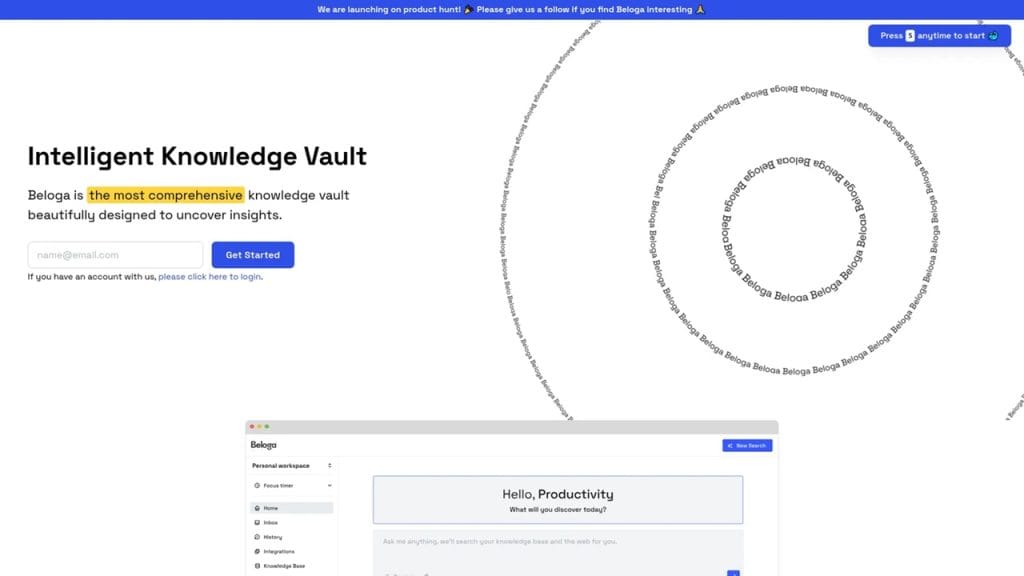
What is Beloga?
Beloga is an AI-driven multimedia editing platform designed to streamline your creative process. Whether you’re editing images, enhancing videos, or generating content, Beloga brings professional-grade tools to your fingertips—without the steep learning curve. It’s perfect for creators, marketers, and small businesses looking to elevate visual content without hiring a full production team.
From removing background noise in videos to refining image resolution with one click, Beloga solves the common pain points faced by digital content creators: time-consuming edits, lack of advanced skills, and costly software. With Beloga, you get powerful automation without sacrificing quality or control.
Key Features
- AI-Powered Image Enhancement: Instantly upscale and sharpen low-quality photos without losing detail.
- Smart Video Enhancer: Automatically improves lighting, stabilizes shaky footage, and enhances audio clarity.
- Background Remover: Removes backgrounds from images and videos in seconds—ideal for product shots or social media posts.
- Batch Processing: Edit multiple files at once to save time, perfect for teams or large-scale projects.
- Cloud-Based Storage: Secure your projects with cloud access and collaborate with team members in real time.
✅ Pros
- User-Friendly Interface: No steep learning curve. The platform is clean, intuitive, and beginner-friendly.
- Fast Processing Speeds: AI tools complete tasks in seconds, boosting productivity.
- Freemium Model Available: Get started with powerful tools at zero cost. Upgrade only if you need more.
- Cross-Platform Access: Use Beloga from any device—desktop, tablet, or mobile.
❌ Cons
- Limited Offline Access: Most features require a stable internet connection.
- Customization Constraints: Advanced users may find limited manual editing options.
- Business Plan is Pricey: The top-tier subscription may be costly for freelancers or small startups.
Who is Using Beloga?
Beloga caters to a wide audience of creative professionals and hobbyists who need high-quality editing tools without spending hours learning complex software.
Primary Users:
- Professional Photographers
- Videographers
- Digital Artists
- Content Creators and Influencers
- Marketing Teams and Small Business Owners
Use Cases:
Use Case 1:
A freelance photographer uses Beloga to quickly enhance client portraits with AI-powered sharpening and noise reduction, saving hours in post-production.
Use Case 2:
A YouTuber leverages Beloga’s video enhancer to clean up low-light footage and balance audio levels before publishing new content.
Use Case 3:
An e-commerce business uses Beloga’s background remover to create clean, professional-looking product images for their online store—without hiring a graphic designer.
Pricing
Beloga offers flexible pricing to suit different user needs. The platform follows a freemium model, giving users access to basic tools for free and unlocking advanced features through paid plans.
Plan 1: Starter – $0/month
- Access to basic image and video editing tools
- Limited export resolution
- Watermark on exported content
- 1 GB cloud storage
Plan 2: Pro – $19/month
- Full access to image and video tools
- High-resolution exports without watermark
- Priority processing
- 50 GB cloud storage
- Email support
Plan 3: Business – $49/month
- All Pro features included
- Team collaboration tools
- Brand kit and custom templates
- 500 GB cloud storage
- Dedicated support manager
Note: For the most accurate and current pricing details, please refer to the official website at www.beloga.com.
What Makes Beloga Unique?
Beloga stands out from other multimedia tools by combining simplicity with powerful AI automation. Unlike traditional editing suites that demand a steep learning curve, Beloga’s interface is built for speed and ease of use—perfect for creators on the go.
The platform’s AI engine is another core differentiator. It intelligently enhances video quality, sharpens images, and removes unwanted elements with a level of precision that rivals manual editing—minus the time investment.
Additionally, Beloga’s cloud-first approach ensures your projects are always accessible and easy to collaborate on, whether you’re working solo or as part of a team. Its ability to process large batches of files in seconds also makes it ideal for users who need to scale their workflow efficiently.
Compatibilities and Integrations
- Integration 1: Adobe Photoshop – Seamlessly edit and enhance images, then export back to Photoshop for final tweaks
- Integration 2: After Effects – Import Beloga-enhanced footage for post-production motion graphics
- Integration 3: DaVinci Resolve – Use Beloga’s pre-processing features to clean and optimize video before color grading
- Hardware Compatibility: Fully optimized for Apple Silicon (M1, M2 chips) and high-performance Nvidia/AMD GPUs
- Standalone Application: Yes – Beloga operates as a web-based and desktop standalone app with offline mode in development
Tutorials and Resources of Beloga
Beloga makes it easy for users of all experience levels to get started. The platform offers a growing library of step-by-step tutorials, quick-start guides, and video walkthroughs on its official website. Whether you’re learning how to enhance a video or remove a background from an image, there’s a resource available.
Additionally, Beloga features:
- In-app tips and tooltips that guide users in real time
- A dedicated knowledge base with FAQs, troubleshooting steps, and best practices
- A YouTube channel with practical use case demonstrations
- Access to live webinars and community forums for pro tips and user feedback
With all these resources, users can quickly become confident and efficient in using the platform—no technical background required.
How We Rated It
Category | Rating |
Accuracy and Reliability | ⭐⭐⭐⭐☆ (4/5) |
Ease of Use | ⭐⭐⭐⭐⭐ (5/5) |
Functionality and Features | ⭐⭐⭐⭐☆ (4.5/5) |
Performance and Speed | ⭐⭐⭐⭐☆ (4.5/5) |
Customization and Flexibility | ⭐⭐⭐⭐ (4/5) |
Data Privacy and Security | ⭐⭐⭐⭐ (4/5) |
Support and Resources | ⭐⭐⭐⭐☆ (4.5/5) |
Cost-Efficiency | ⭐⭐⭐⭐☆ (4.5/5) |
Integration Capabilities | ⭐⭐⭐⭐ (4/5) |
Overall Score | ⭐⭐⭐⭐☆ (4.4/5) |
Beloga is a well-rounded multimedia editing tool that strikes a balance between professional quality and user accessibility. It’s ideal for photographers, videographers, marketers, and content creators who want fast, polished results without the complexity of traditional software.
Its biggest strengths lie in its AI-powered automation, intuitive design, and solid set of integrations. While it may not replace high-end software for every use case, it offers more than enough power for most digital content needs—especially for solo creators and small teams.
If you’re looking for a creative tool that saves time, simplifies editing, and delivers great results, Beloga is absolutely worth a try.