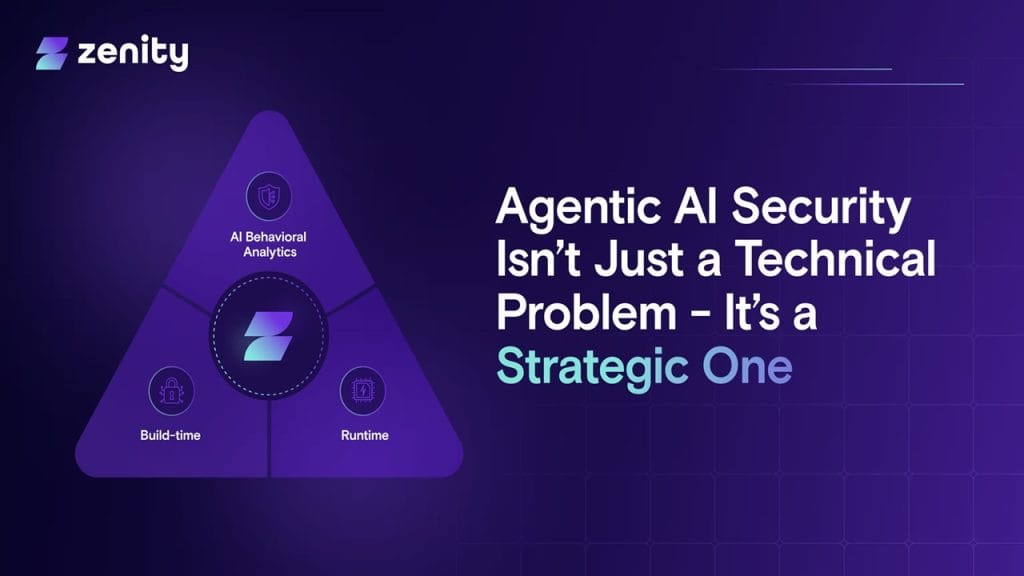
What is Zenity?
Zenity is a lightweight, GTK‑based utility that enables you to create simple graphical dialog boxes (like calendars, file pickers, message prompts) directly from command‑line or shell scripts. Instead of presenting raw command‑line prompts, Zenity wraps them in easy‑to‑use GUI dialogs—an elegant way to bridge between shell scripts and user‑friendly interfaces.
Ideal for sysadmins, developers, and anyone working in Linux or Unix environments, it solves the problem of unfriendly text‑only interactions by providing quick, intuitive graphical UI elements without the overhead of full‑scale GUI programming.
Key Features
- Calendar Dialog: Offers a clickable calendar widget for selecting dates.
- File/Folder Selection: Lets users browse and select files or directories through a native GTK UI.
- Message Dialogs: Includes informative, warning, error, and question dialogs with consistent GTK styling.
- Interactive Input Forms: Supports text entry, password fields, scales, and list‑based selection.
- Progress & Notification Pop‑ups: Provides progress bars and desktop notifications directly from scripts.
✅ Pros
- Super easy to integrate: Just add a single line in your bash script (e.g., zenity –file-selection) to launch polished GTK dialogs.
- No heavy dependencies: Unlike full GUI toolkits, Zenity is lightweight and fast, perfect for scripting.
- Cross‑platform friendly: Works on Linux, BSD, Windows (via ports), and even macOS.
- Consistent, standard look: Delivers a uniform, native‑look experience by leaning on GNOME’s GTK theming.
❌ Cons
- Limited capabilities: Not intended for full GUI apps—complex layouts or interactive graphics require heavier GUI toolkits.
- Basic styling options: Customization is limited to flags; there’s no deep theming or layout control.
- Script‑dependent: It cannot run standalone GUIs; needs to be invoked within shell scripts.
- GTK environment requirement: Depends on GTK libraries, which may not be present by default in non‑GTK environments.
Who Is Using Zenity?
Primary Users
- Large enterprises—especially those in healthcare, financial services, technology, retail, and manufacturing—rely on Zenity to manage governance and security for AI agents and low-code solutions.
- IT departments and security teams leverage it to monitor autonomous AI systems, detect risks, and enforce policy compliance.
- Compliance officers appreciate the tool for its visibility into usage and adherence to regulatory requirement.
Use Cases
- AI agent governance: Detecting vulnerabilities, misconfigurations, and over-permissioned AI agents before deployment.
- Citizen developer oversight: Monitoring apps or bots built by non-technical staff while maintaining security and compliance.
- SaaS security posture: Continuously assessing security across third-party SaaS tools and alerting on risks like data exposure or anomalous user activity .
Pricing
Zenity operates on a custom pricing model tailored to enterprise needs. While there’s no public “free” plan, most users engage via:
- Free trial or demo: Typically a 30-day evaluation period to explore core features.
- Enterprise plan: Pricing varies based on agent volume, SaaS integrations, and support requirements—available via contact form.
- Azure Marketplace option: Offers a one-time annual license starting at $1/year for basic packages.
Tip: Always confirm current pricing and licensing directly on Zenity’s website or through sales—it changes frequently.
What Makes Zenity Unique?
Zenity stands out in a crowded field thanks to:
- End-to-end coverage from build-time policy enforcement to runtime threat detection.
- Unified approach, combining AI observability, security posture management (AISPM), and AI detection and response (AIDR) in one platform.
- Citizen development governance, enabling non-technical users to create powerful AI tools while preserving oversight.
- Strong integration with SaaS ecosystems, offering continuous compliance and insight across multiple applications .
Compatibilities and Integrations
- Integration 1: Microsoft 365 Copilot / Power Platform – Enables secure deployment of Copilot-generated workflows and automations.
- Integration 2: Salesforce – Provides visibility and risk control over AI-driven apps built on Salesforce.
- Integration 3: ServiceNow – Ensures secure configuration of bot-driven support workflows within ServiceNow .
- Hardware compatibility: Being cloud-first, Zenity works across platforms—supporting deployments on AWS, Google Cloud, Azure, and hybrid environments.
- Standalone application: Zenity is exclusively a cloud-based SaaS platform, not a desktop or mobile client. There’s no desktop app; all interactions occur through browser and API.
Tutorials and Resources for Zenity
Getting started with Zenity is quite approachable, thanks to a solid mix of official docs, community guides, and hands-on examples:
- Official GNOME Manual: Covers every dialog type from calendars to forms—complete with usage flags.
- Tecmint Guide: Contains real-world shell script examples—like entry dialogs, progress bars, and error pop-ups.
- OSTechNix Tutorial: Offers step-by-step installation instructions and a wide range of dialog examples.
- HowtoForge Article: Breaks down general options, including title customization, window icons, and formatting.
- Community Code Repositories: Projects like “Zenity-GUI” on GitHub show how to wrap Zenity scripts with real-world context.
- YouTube Walkthrough: Visual learners can follow along with a Linux scripting video demonstrating Zenity usage .
These resources cater to beginners learning basics and advanced users automating complex workflows.
How We Rated It
Criterion | Rating |
Accuracy and Reliability | 👍👍👍👍 (4/5) |
Ease of Use | 👍👍👍👍👍 (5/5) |
Functionality and Features | 👍👍👍👍 (4/5) |
Performance and Speed | 👍👍👍👍 (4/5) |
Customization and Flexibility | 👍👍👍 (3/5) |
Data Privacy and Security | 👍👍👍👍 (4/5) |
Support and Resources | 👍👍👍👍 (4/5) |
Cost‑Efficiency | 👍👍👍👍👍 (5/5) |
Integration Capabilities | 👍👍👍 (3/5) |
Overall Score | 👍👍👍👍 (4/5) |
Zenity excels at transforming command-line scripts into friendly GUI workflows without forcing users into complex frameworks. It’s fast, reliable, and lightweight, with strong community support and enough dialog types to support a range of use cases—from input forms to notifications and progress indicators.
The real magic lies in its simplicity—system administrators, developers, and hobbyists can quickly add polished UI layers to scripts meant for end-users. It’s not ideal for heavy-duty GUI applications, but for lightweight automation and user interaction, Zenity remains a top choice.