
Canva AI
- Verified: Yes
- Categories: AI Content Generation, SEO Optimization, E-commerce Tools
- Pricing Model: Freemium
- Website:https://www.canva.com/ai-assistant/
Introduction
Design used to be something that required time, experience, and often a dedicated professional. Today, tools like Canva AI and Magic Studio are changing that reality. Canva has taken its already user-friendly platform and enhanced it with powerful AI design tools that help users create stunning visuals faster and with less effort. Whether you are a business owner, content creator, marketer, or student, Canva AI makes professional design accessible to everyone.
Magic Studio brings intelligent automation into the creative process, from generating images and text to resizing designs and removing backgrounds in seconds. This shift toward AI-powered design is revolutionizing graphics by reducing manual work and increasing creativity. Instead of struggling with complex software, users can focus on ideas and storytelling. With Canva AI and Magic Studio, design becomes simpler, smarter, and far more efficient.
What is Canva AI (Magic Studio)?
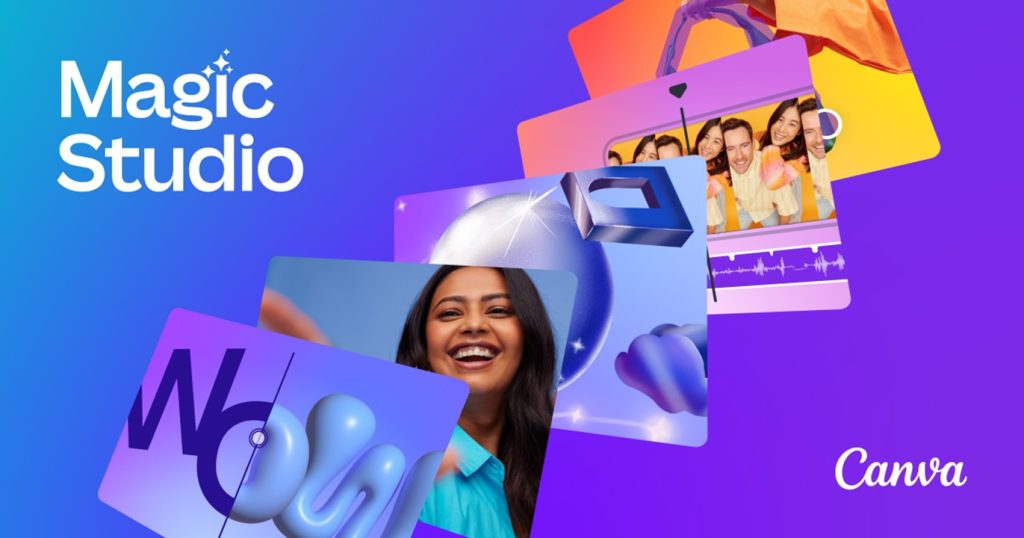
Canva AI, powered by Magic Studio, is a collection of artificial intelligence tools built directly into Canva to make design and content creation faster and more intuitive. It uses machine learning to understand user input and automatically suggest layouts, colors, images, and text styles that fit the project. This means you no longer have to start from a blank canvas or spend hours fine-tuning small details.
The main difference between traditional Canva and Canva AI is automation and intelligence. Traditional Canva relies on manual design choices, while Magic Studio actively assists you by generating ideas and improving your designs in real time. Features like text-to-image, background removal, smart resizing, and AI writing support transform Canva into a complete AI design tool.
Canva AI is widely used for graphic design, social media content, marketing materials, presentations, and even blog visuals. It supports content creation at every level, making it ideal for individuals, small businesses, and large teams that want quality designs without complexity.
Key Features of Canva AI (Magic Studio)
One of the strongest advantages of Canva AI is its ability to simplify complex design tasks through intelligent automation. The platform offers AI-powered templates and suggestions that adapt to your content. When you upload text or images, Magic Studio recommends layouts, font combinations, and color palettes that match your theme. This removes guesswork and helps maintain visual consistency.
Magic Resize is another standout feature. It allows you to instantly convert a single design into multiple formats, such as Instagram posts, stories, presentations, and posters. Instead of redesigning from scratch, Canva AI automatically adjusts dimensions while preserving the design structure. This is a major time saver for marketers and social media managers.
The Background Remover tool is widely appreciated for its accuracy and speed. With one click, you can remove backgrounds from photos and place subjects into new environments. Smart Color Matching then helps blend elements naturally by suggesting colors that align with your design’s tone and mood.
Canva AI also includes text-to-image capabilities, allowing users to generate custom visuals simply by typing a prompt. This is especially useful when you need unique graphics that are not available in stock libraries. Alongside this, text enhancement tools refine headlines, improve readability, and adjust tone based on your audience.
These Magic Studio features make Canva AI templates far more than simple design layouts. They transform Canva into a complete AI design tool that supports creativity, efficiency, and professional-level output, even for users with no design background.
How Canva AI Helps Businesses and Creators
For businesses and creators, Canva AI is more than a design platform, it is a productivity booster. Social media content creation becomes faster because AI handles layout suggestions, image generation, and resizing. Instead of spending hours on one post, users can create a full week of content in minutes. This consistency is crucial for growing online visibility.
Marketing materials such as flyers, ads, email banners, and presentations also benefit from Canva Magic Studio for business. The AI ensures brand colors, fonts, and styles remain consistent across all designs. This helps businesses maintain a professional identity without hiring a full design team.
Another major advantage is time-saving and workflow automation. Canva AI reduces repetitive tasks like formatting, resizing, and editing. Teams can focus more on strategy, messaging, and creativity rather than technical design work. This makes AI cont
Canva AI vs Other AI Design Tools
When comparing Canva AI with other popular AI design tools like Figma AI, Adobe Firefly, and Crello AI, the biggest difference lies in accessibility and ease of use. Each platform has its strengths, but Canva AI stands out as the most beginner-friendly option. This makes it a strong choice in any Canva AI comparison and positions it as one of the best AI design software solutions for non-designers.
Figma AI is mainly focused on UI and UX designers who work on web and app interfaces. It offers advanced collaboration and design automation, but it can feel overwhelming for users without design experience. Adobe Firefly, on the other hand, excels in image generation and creative effects. However, it is more suitable for professionals who are already familiar with Adobe’s ecosystem.
Crello AI, now known as VistaCreate, is similar to Canva in purpose but has fewer AI-driven features and a smaller template library. While it is helpful for basic graphics, it lacks the depth of Magic Studio tools that Canva AI provides.
Canva AI’s main advantage is its simplicity. Non-designers can create polished designs without learning complex software. The interface feels intuitive, and Magic Studio works quietly in the background, offering suggestions, generating visuals, and improving layouts. For users who want fast results with minimal effort, Canva AI delivers a practical balance between power and usability.
Step-by-Step Guide to Using Canva AI (Magic Studio)
Learning how to use Canva AI is simple, even if you have never worked with design tools before. The first step is account setup. Visit Canva’s website and sign up using your email, Google account, or social media login. Once logged in, you will see the dashboard, which displays templates, recent designs, and access to Magic Studio features.
From the dashboard, click “Create a design” and choose your format, such as social media post, presentation, or poster. This is where your Magic Studio tutorial truly begins. You can start from a blank design or select an AI-powered template. Canva AI will suggest layouts, fonts, and colors based on your content.
To create your first AI design, try using the text-to-image feature. Type a short description of what you want, such as “modern workspace illustration” or “minimalist social media banner.” Canva AI will generate visuals that match your prompt. Insert the image into your design and adjust the layout using smart alignment tools.
Next, explore Magic Resize. If you create a design for Instagram, you can instantly convert it into a Facebook post, story, or YouTube thumbnail. Canva AI automatically adapts the size and layout, saving significant time.
To maximize Magic Studio features, use the Background Remover for clean visuals and Smart Color Matching to maintain visual harmony. Experiment with AI text tools to refine headlines, adjust tone, and improve clarity.
The key to success with Canva AI is experimentation. Try different prompts, layouts, and tools. Over time, you will find that Magic Studio feels less like software and more like a creative assistant that supports your ideas.
Pros and Cons of Canva AI
Canva AI offers several strong benefits that make it appealing to a wide audience. One of its biggest advantages is its easy-to-use interface. Even beginners can create professional designs without technical skills. The AI efficiency is another major benefit. Tasks like resizing, background removal, and layout adjustments happen instantly, which saves time and reduces effort. These Canva AI benefits make it ideal for small businesses, students, and content creators.
However, Canva AI also has some limitations. The free version offers basic access, but many advanced Magic Studio features require a paid subscription. This can be a drawback for users on a tight budget. Another limitation is AI creativity boundaries. While Canva AI is excellent at generating designs quickly, it may not always match the originality or depth of a human designer’s vision.
Overall, the Canva AI drawbacks are minor compared to its advantages, especially for users who value speed, simplicity, and efficiency.
Future of Canva AI and AI in Design
The future of Canva AI looks promising as AI design trends continue to evolve. We can expect smarter automation, more accurate image generation, and deeper personalization in design workflows. AI tools will become better at understanding user intent and producing designs that feel more customized.
Canva AI is also likely to expand its integration with other AI tools, such as AI writing assistants, video generators, and data visualization platforms. This will turn Canva into a more complete creative ecosystem rather than just a design tool.
As the AI design future unfolds, Canva AI’s roadmap will probably focus on improving collaboration, brand management, and real-time content creation. These changes will make design faster, more connected, and more intuitive for users across industries.
FAQs About Canva AI (Magic Studio)
Is Canva AI free?
Canva AI has a free version that includes basic Magic Studio features. However, advanced tools like premium templates, background removal, and extended AI features require a Canva Pro subscription.
Can AI replace designers?
AI cannot fully replace designers. Canva AI supports creativity and speeds up work, but human designers bring strategic thinking, originality, and emotional understanding that AI cannot replicate.
Is Canva AI compatible with other software?
Yes, Canva AI allows you to export designs in formats like PNG, JPG, PDF, and MP4. These files work with most marketing, printing, and content management platforms.
Who should use Canva AI?
Canva AI is suitable for beginners, businesses, educators, and creators who want fast and professional designs without complex tools.
Conclusion
Canva AI and Magic Studio have transformed the way people approach design. By combining simplicity with intelligent automation, Canva AI empowers users to create high-quality visuals without professional design skills. From social media content to marketing materials, it streamlines creativity and boosts productivity.







