
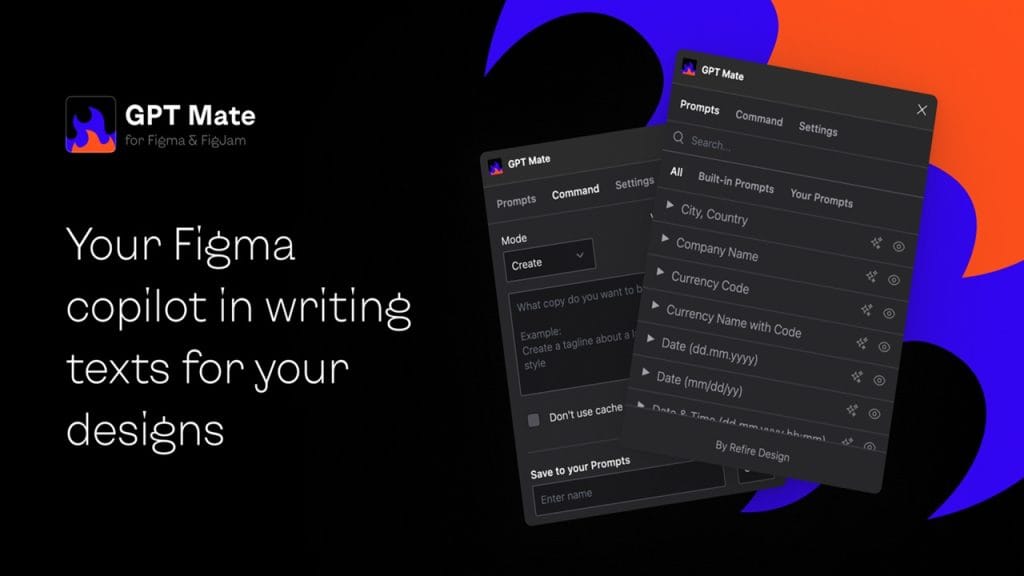
GPT Mate is an AI-powered content assistant designed to help individuals and teams write smarter, faster, and more effectively. Built on advanced natural language processing (NLP) models, GPT Mate streamlines everything from blog posts and social media captions to emails and code snippets.
Its main mission? To eliminate writer’s block, enhance productivity, and make content creation a breeze, even for non-writers. Whether you’re a marketer, blogger, student, or entrepreneur, GPT Mate acts like a virtual co-writer you can count on 24/7.
Feature 1: Smart Writing Suggestions
GPT Mate provides real-time sentence suggestions and content ideas based on your input, improving coherence and creativity without sounding robotic.
Feature 2: Custom Templates
Choose from dozens of pre-built templates tailored for blog intros, product descriptions, SEO meta tags, and more — perfect for saving time.
Feature 3: Multilingual Support
Create content in over 25 languages, making it ideal for global audiences or local SEO campaigns.
Feature 4: SEO Optimization Tools
Built-in keyword integration and meta description generators help you rank better on Google without needing a separate SEO plugin.
Feature 5: Chat Assistant
Chat with the AI to brainstorm ideas, outline content, or even draft an entire article — it’s like having a creative partner by your side.
Boosts Productivity
Cut your writing time in half! GPT Mate helps you draft, edit, and polish your content in minutes — not hours.
Ideal for SEO
With integrated keyword tools and readability enhancements, GPT Mate makes your content not just human-readable, but search engine-friendly too.
User-Friendly Interface
Its minimalist and intuitive dashboard is easy to navigate, even for beginners with zero tech experience.
Versatile Use Cases
From academic writing to ad copy, GPT Mate adapts to various industries and tones, making it useful for marketers, educators, coders, and more.
Occasional Repetition
The AI can sometimes repeat phrases or ideas, especially in longer documents — requiring a quick human edit for polish.
Limited Creative Writing
Although great at structured content, GPT Mate may lack the nuance and flair needed for poetry or complex fiction writing.
Requires Internet Connection
No offline mode — you need an internet connection to use GPT Mate, which can be a downside for users on the go.
Primary Users:
GPT Mate is widely adopted by creative professionals who demand speed, precision, and efficiency in their workflows. This includes professional photographers, videographers, and digital artists—individuals who rely on powerful tools to streamline complex tasks, enhance their creative output, and reduce repetitive manual work.
• Automated Image Tagging and Sorting
Photographers use GPT Mate to intelligently categorize thousands of images based on content, subject matter, or client-specific themes. It significantly reduces time spent on post-shoot organization.
Note: For the most accurate and up-to-date pricing, please refer to the official GPT Mate website.
GPT Mate sets itself apart by combining deep creative understanding with real-world media workflows. Unlike generic AI tools, it’s specifically trained for visual and audiovisual content creation. Whether it’s drafting storyboards, organizing media assets, or generating contextually rich creative prompts, GPT Mate does it with a level of nuance that feels more like a collaborator than a tool.
Its core strength lies in balancing automation with customization—offering professionals powerful suggestions while still letting them maintain their unique creative voice. Performance is lightning fast, with support for high-resolution workflows and minimal lag, even on intensive tasks.
Getting started with GPT Mate is refreshingly straightforward, even for those who are new to AI tools. The platform provides a range of learning resources and guides designed to help users become productive quickly.
Available Tutorials & Documentation:
Resource Type | Description |
Official User Guide | A comprehensive, step-by-step manual covering all the core functionalities of GPT Mate. Available directly on the dashboard. |
Video Tutorials | Short, practical videos walk you through common use cases like content generation, summarization, and chatbot creation. |
FAQs & Troubleshooting | A handy collection of frequently asked questions with clear answers and fixes for common issues. |
Community Forum | Users can ask questions, share tips, and connect with other GPT Mate users for peer support. |
Blog & Updates | Regularly updated with usage tips, case studies, and new feature announcements to help users stay up to date. |
Developer Docs | For advanced users and developers, detailed API documentation is available for seamless integrations. |
Category | Rating |
Accuracy and Reliability | ⭐⭐⭐⭐☆ |
Ease of Use | ⭐⭐⭐⭐⭐ |
Functionality and Features | ⭐⭐⭐⭐☆ |
Performance and Speed | ⭐⭐⭐⭐☆ |
Customization and Flexibility | ⭐⭐⭐⭐☆ |
Data Privacy and Security | ⭐⭐⭐⭐☆ |
Support and Resources | ⭐⭐⭐⭐⭐ |
Cost-Efficiency | ⭐⭐⭐⭐☆ |
Integration Capabilities | ⭐⭐⭐⭐☆ |
Overall Score | ⭐⭐⭐⭐☆ |
GPT Mate shines as a versatile and user-friendly AI assistant, perfect for both beginners and experienced users. Its intuitive interface, well-rounded feature set, and extensive learning resources make it a solid choice for content creators, marketers, developers, and customer support teams. The availability of both in-depth documentation and community support is a big plus, especially for those who prefer to self-learn or dive deeper into customization. While a few advanced features could benefit from more flexibility, GPT Mate remains a powerful and cost-effective tool with strong performance across the board.







