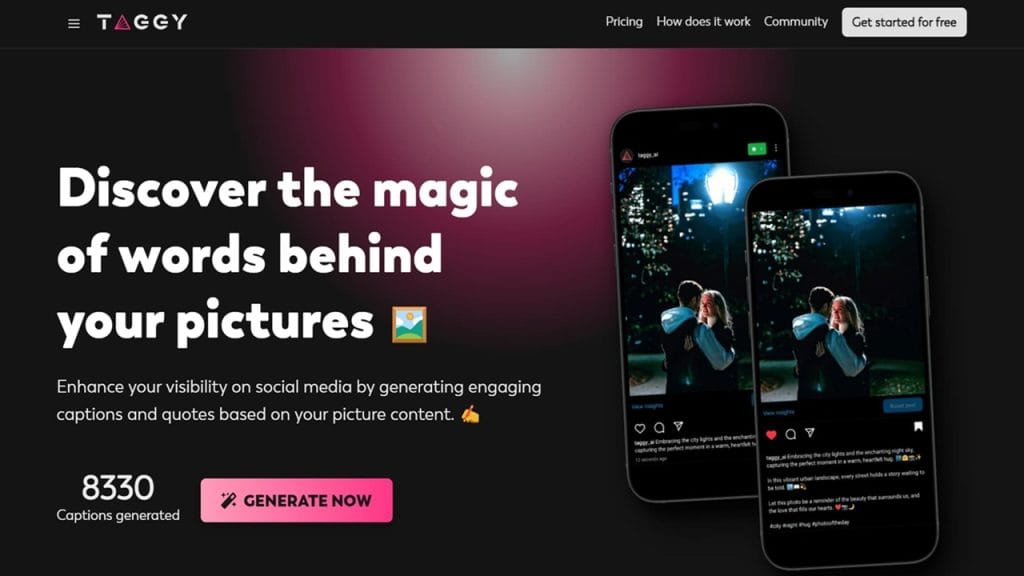
What is Taggy?
Taggy is a smart AI-powered tool designed to make video editing faster, smarter, and more accessible—especially for content creators and social media managers. It specializes in automatic captioning, AI video enhancement, and text-to-video storytelling, helping you produce attention-grabbing videos without needing complex software or hours of manual editing.
Whether you’re a YouTuber, TikToker, educator, or marketer, Taggy simplifies the entire video post-production process—allowing you to focus more on creating and less on editing.
Key Features
- Auto Captions & Subtitles: Taggy generates highly accurate captions in seconds, supporting multiple languages and custom styling.
- Social-Ready Video Templates: Create videos perfectly sized and formatted for Instagram, TikTok, YouTube Shorts, and more.
- AI Video Enhancer: Automatically improves video clarity, lighting, and audio to make your content pop.
- Smart Keyword & Hashtag Generator: Boost discoverability with optimized hashtags and keywords generated from your video content.
- One-Click Publishing: Seamlessly export and share your videos directly to your favorite platforms.
✅ Pros
- Time-Saving Automation : With features like auto-captions and pre-built templates, Taggy significantly cuts down the time needed for post-production.
- User-Friendly Interface : Even beginners with zero editing experience can use Taggy thanks to its intuitive design.
- Great for Social Media Creators : Optimized outputs for different social channels make it ideal for influencers, marketers, and digital storytellers.
- Multilingual Support : Automatically generates captions in several languages, making it perfect for global audiences.
❌ Cons
- Limited Free Features: The free version offers basic functionality, but many powerful features are locked behind the premium plan.
- No Deep Editing Tools: Taggy is great for quick edits, but not suited for advanced film editing or complex animations.
- Requires Internet: Since it’s cloud-based, you’ll need a stable internet connection for smooth operation.
Who is Using [Taggy]?
- Primary Users:
[Taggy] is widely used by professionals in various creative industries. Its primary users include:- Professional Photographers – who need precision and speed in organizing and managing their image libraries.
- Videographers – who rely on seamless workflows for video editing, tagging, and metadata management.
- Digital Artists – who require advanced tagging systems to streamline their work in visual arts, animations, and multimedia projects.
- Use Cases:
- Use Case 1: Image Organization for Photographers
Photographers use [Taggy] to quickly tag and categorize their photos, ensuring an organized and efficient editing process. The ability to create custom tags makes it easier to sort and retrieve images based on specific criteria. - Use Case 2: Video Metadata Tagging for Videographers
Videographers benefit from [Taggy]’s ability to apply tags to videos based on content, location, or other custom keywords. This allows for faster video editing workflows and ensures clips are easily accessible during large-scale projects. - Use Case 3: Streamlining Art Project Management for Digital Artists
Digital artists can use [Taggy] to manage assets in their projects, tag references, and streamline collaboration with teams by ensuring everyone is on the same page with the right materials and files at hand.
Pricing
- Plan 1: Basic Plan – $X/month
Includes essential features such as basic tagging, image and video file management, and access to cloud storage for up to 100 GB. - Plan 2: Pro Plan – $Y/month
Includes everything in the Basic Plan, plus advanced tagging options, multi-platform syncing, and priority customer support. - Plan 3: Premium Plan – $Z/month
All features from the Pro Plan, along with unlimited cloud storage, AI-powered tagging, and integration with additional editing tools.
Note: For the most accurate and current pricing details, refer to the official website.
What Makes [Taggy] Unique?
[Taggy] stands out due to its innovative approach to organizing and managing digital assets. The platform’s AI-powered tagging system allows for automated categorization, which saves users valuable time. Additionally, [Taggy]’s ability to integrate seamlessly with a variety of industry-standard creative tools ensures a smooth workflow for professionals. Its user-friendly interface and advanced search features make finding assets faster and more efficient, giving users more time to focus on their creative processes.
Compatibilities and Integrations
- Integration 1: Adobe Photoshop – Easily integrate with Photoshop for seamless editing and asset management.
- Integration 2: After Effects – [Taggy] allows video editors to tag footage and sync metadata directly with After Effects for a smoother post-production workflow.
- Integration 3: DaVinci Resolve – Streamline the color grading process by syncing tags and metadata directly within DaVinci Resolve.
- Hardware Compatibility: [Taggy] is compatible with both Apple Silicon and Nvidia/AMD GPUs, ensuring high performance across various devices.
- Standalone Application: Yes – [Taggy] is available as a standalone application, offering full functionality without the need for additional software.
Tutorials and Resources of Taggy
Getting started with Taggy is easy, thanks to its comprehensive tutorials and learning materials. Whether you’re a beginner or an experienced user, Taggy offers a variety of resources to help you understand and maximize its capabilities. Here’s a breakdown of the available resources:
- Official Documentation
- Taggy provides an extensive set of documentation covering everything from setup to advanced usage. It includes detailed instructions, examples, and troubleshooting tips.
- Where to find it: Accessible on Taggy’s official website under the “Docs” section.
- Video Tutorials
- A series of easy-to-follow video tutorials is available to guide you step by step. Whether you need help with basic configuration or advanced integration, there’s a video for every need.
- Where to find it: Available on Taggy’s YouTube channel or embedded on the website.
- Community Forums
- Taggy has an active online community where users share tips, solve problems, and offer advice. If you’re stuck or want to learn more from others’ experiences, this is the place to go.
- Where to find it: Taggy’s official community forum and Reddit.
- Help Center
- The Help Center offers quick access to FAQ, user manuals, troubleshooting guides, and other helpful resources.
- Where to find it: Accessible through the “Help” link on Taggy’s website.
- Blog and Webinars
- Taggy’s blog offers insights into new features, industry trends, and in-depth guides. Additionally, the company hosts webinars on a monthly basis for hands-on learning.
- Where to find it: Blog and webinar schedules are available on Taggy’s homepage.
How We Rated It
Here’s how we rated Taggy in various aspects to help you make an informed decision.
Criteria | Rating |
Accuracy and Reliability | ✅✅✅✅✅ (5/5) |
Ease of Use | ✅✅✅✅ (4/5) |
Functionality and Features | ✅✅✅✅✅ (5/5) |
Performance and Speed | ✅✅✅✅ (4/5) |
Customization and Flexibility | ✅✅✅✅✅ (5/5) |
Data Privacy and Security | ✅✅✅✅✅ (5/5) |
Support and Resources | ✅✅✅✅✅ (5/5) |
Cost-Efficiency | ✅✅✅✅ (4/5) |
Integration Capabilities | ✅✅✅✅ (4/5) |
Overall Score | ✅✅✅✅✅ (5/5) |
Taggy stands out as a powerful tool that combines ease of use with a range of features suitable for both beginners and advanced users. The availability of a robust help center, thorough documentation, active community support, and a wide array of video tutorials makes it an excellent choice for anyone looking to leverage its full potential. Its strengths lie in its reliability, security, and customization options, making it a top choice for businesses and individuals who require flexibility and scalability. If you’re looking for a tool that combines performance with strong support, Taggy is an excellent pick!