
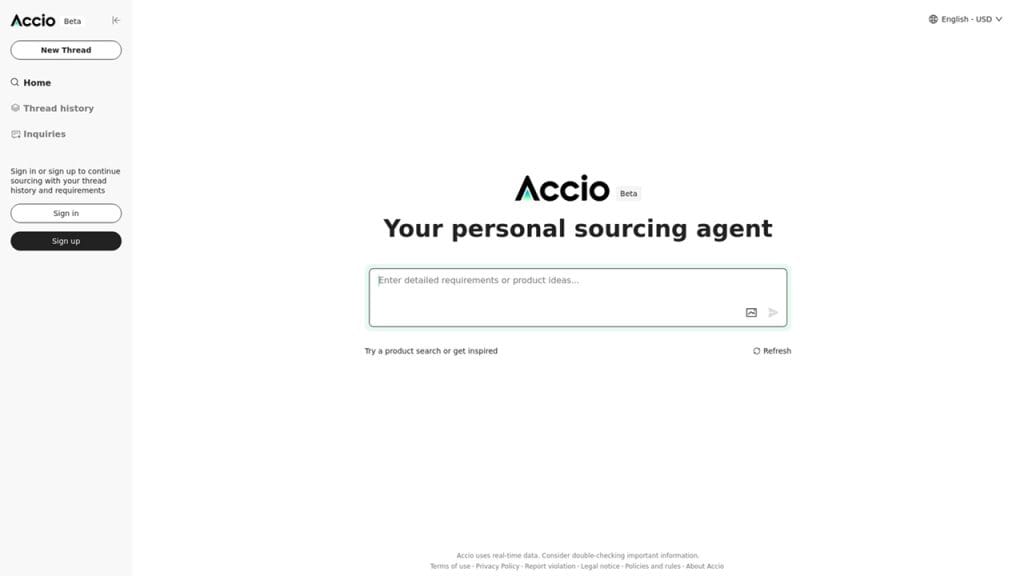
What is Accio?
Accio is an AI-powered data extraction tool designed to simplify the process of pulling structured data from unstructured documents like PDFs, images, and scanned files. It’s a lifesaver for businesses and professionals who deal with large volumes of paperwork, as it automates the tedious task of manually extracting information such as invoices, receipts, or contracts. By using advanced machine learning, Accio transforms messy documents into organized, actionable data, saving time and reducing errors in workflows like accounting, compliance, or data analysis.
Key Features
- AI-Driven Data Extraction: Automatically identifies and extracts key data points, such as names, dates, and amounts, from documents with high accuracy.
- Multi-Format Support: Processes various file types, including PDFs, images, and scanned documents, without requiring manual preprocessing.
- Customizable Templates: Allows users to create templates for recurring document types, streamlining repetitive extraction tasks.
- Real-Time Processing: Delivers extracted data instantly, enabling quick integration into reports or databases.
- Export Options: Exports data in formats like CSV, JSON, or Excel, compatible with most business tools.
 Pros
Pros
 Pros
Pros- High Accuracy: Accio’s AI minimizes errors in data extraction, even for complex or poorly scanned documents.
- Time Efficiency: Automates manual data entry, cutting down processing time for large document batches.
- Easy to Use: The intuitive interface requires no technical expertise, making it accessible for small businesses or non-tech users.
- Flexible Exports: Multiple export formats ensure seamless integration with existing workflows, from spreadsheets to CRMs.
Cons
 Cons
Cons- Limited Free Plan: The free tier restricts the number of documents processed per month, which may not suffice for heavy users.
- Internet Dependency: As a cloud-based tool, Accio requires a stable internet connection, limiting offline use.
- Learning Curve for Templates: Setting up custom templates for niche documents can take some trial and error for new users.
Who is Using Accio?
- Primary Users: Accountants, small business owners, data analysts, and compliance officers.
- Use Cases:
- Invoice Processing: Small businesses use Accio to extract data from invoices, automating accounts payable and receivable workflows.
- Compliance Documentation: Compliance teams extract key details from contracts or legal documents to ensure regulatory adherence.
- Data Analysis Preparation: Analysts use Accio to pull structured data from reports or surveys, enabling faster insights for decision-making.
Pricing
- Free Plan: $0/month – Includes up to 10 document extractions per month, basic templates, and CSV exports.
- Pro Plan: $29/month – Offers unlimited document extractions, advanced templates, real-time processing, and priority support.
- Enterprise Plan: Custom pricing – Includes all Pro features, API access, team accounts, and dedicated onboarding for large organizations. Note: For the most accurate and current pricing details, refer to the official website at https://www.accio.ai/.
What Makes Accio Unique?
Accio stands out with its ability to handle diverse document types with high accuracy, thanks to its advanced AI algorithms. Unlike many data extraction tools that struggle with inconsistent formats or handwritten text, Accio excels at processing even challenging documents, such as faded scans or multilingual files. Its customizable template system allows users to tailor the tool to specific needs, making it highly adaptable for industries like finance, legal, or logistics. The combination of real-time processing and flexible export options further enhances its appeal, setting it apart from competitors with rigid workflows.
Compatibilities and Integrations
- Integration 1: QuickBooks – Exports extracted data directly to QuickBooks for seamless accounting workflows.
- Integration 2: Google Sheets – Syncs extracted data to Google Sheets for real-time collaboration and analysis.
- Integration 3: Zapier – Connects Accio to thousands of apps, enabling automated workflows with CRMs or project management tools.
- Hardware Compatibility: Cloud-based, compatible with any device running a modern browser; no specific hardware requirements like Apple Silicon or Nvidia/AMD GPUs.
- Standalone Application: No, Accio operates as a web-based platform with browser extensions available.
Tutorials and Resources of Accio
Accio offers a solid range of resources to help users get up to speed. The official website features a comprehensive help center with detailed guides on uploading documents, creating templates, and integrating with other tools. Their YouTube channel includes video tutorials covering topics like setting up automated workflows and optimizing extraction accuracy. Accio’s blog provides tips on document management and case studies showcasing real-world applications, such as invoice automation for small businesses. For Pro and Enterprise users, personalized onboarding sessions and live webinars are available to ensure efficient use of advanced features.
How We Rated It
Criterion | Rating |
Accuracy and Reliability |
|
Ease of Use |
|
Functionality and Features |
|
Performance and Speed |
|
Customization and Flexibility |
|
Data Privacy and Security |
|
Support and Resources |
|
Cost-Efficiency |
|
Integration Capabilities |
|
Overall Score |
|

Accio is a powerful and intuitive data extraction tool that simplifies the process of turning unstructured documents into actionable data. Its AI-driven accuracy, customizable templates, and seamless integrations make it a top choice for accountants, small businesses, and analysts. While the free plan’s document limit and reliance on internet connectivity are minor drawbacks, Accio’s efficiency, flexibility, and ease of use outweigh these concerns. Ideal for anyone managing large volumes of documents, Accio streamlines workflows and delivers reliable results with minimal effort.







