
What Is Pokecut?
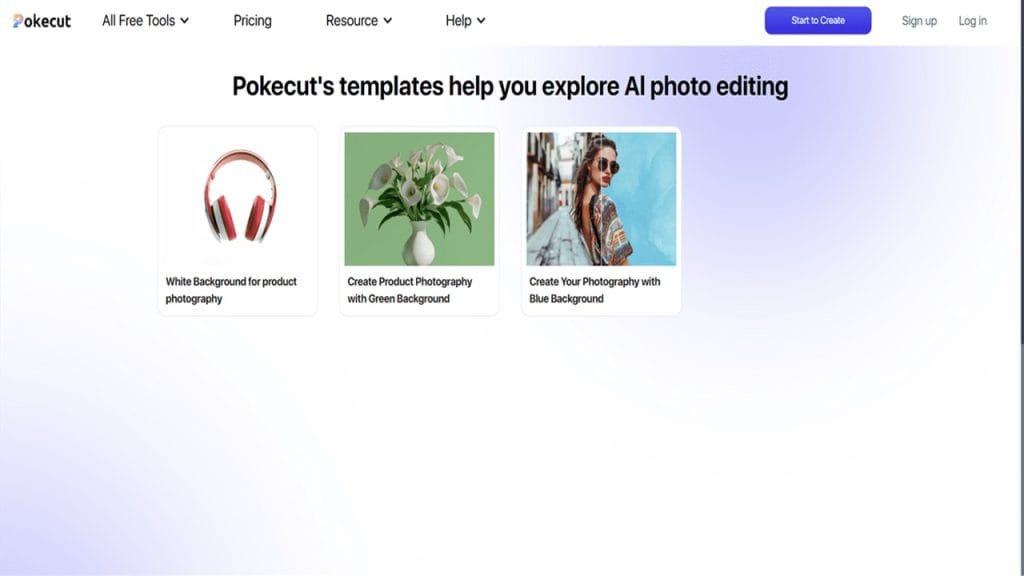
Pokecut is an AI-driven image editing tool designed to simplify background removal and product photo enhancement. With just one click, users can erase backgrounds, create transparent PNGs, and edit product images for online stores or social media.
Its intelligent algorithms ensure clean, accurate results without manual editing, making it an ideal solution for e-commerce sellers, photographers, and content creators who need high-quality visuals in record time.
Key Features
- One-Click Background Removal: Quickly remove backgrounds with precision.
- Batch Processing: Edit multiple images simultaneously.
- AI-Enhanced Product Photos: Optimize images for e-commerce platforms.
- Custom Backgrounds: Replace backgrounds with solid colors or custom images.
- High-Resolution Output: Maintain image quality after editing.
 Pros
Pros
 Pros
Pros- Fast & Accurate: Delivers clean background removal in seconds.
- Beginner-Friendly: No design skills required.
- E-commerce Ready: Output optimized for online marketplaces.
- Flexible Export Options: Supports multiple formats including PNG and JPG.
Cons
 Cons
Cons- Free Plan Limitations: Limited credits for background removal.
- Internet Required: AI processing happens in the cloud.
- Limited Advanced Editing: Not a full-featured design suite.
Who Is Using Pokecut?
- Primary Users: E-commerce sellers, product photographers, social media managers, small businesses.
Use Cases
- Marketplace Listings: Prepare product photos for Amazon, eBay, or Etsy.
- Social Media Posts: Create clean, eye-catching images for Instagram or Facebook.
- Brand Marketing: Produce professional visuals without hiring a designer.
Pricing
- Free Plan: Limited background removals and basic editing features.
- Pro Plan: Paid monthly/annual subscription with unlimited removals and HD exports.
- Enterprise: Custom pricing for bulk editing and business integrations.
Note: For the most accurate and current pricing details, refer to the official website.
What Makes Pokecut Unique?
Pokecut focuses on speed and accuracy while keeping its interface simple. Unlike complex design software, it’s optimized for quick edits and background removals — perfect for users who prioritize efficiency over advanced design tools.
Compatibilities and Integrations
- Integration 1: Shopify product image uploads
- Integration 2: Amazon Seller tools
- Integration 3: Canva for design enhancements
- Hardware Compatibility: Works on any device with internet access
- Standalone Application: Yes (Web and Mobile App)
Tutorials and Resources of Pokecut
Pokecut provides helpful resources to ensure users can make the most of its features:
- Quick Start Guides: Learn background removal and editing basics.
- Video Tutorials: Step-by-step demonstrations for beginners.
- Blog Articles: Tips on product photography and image optimization.
- Customer Support: Email and live chat assistance.
How We Rated It
Criteria | Rating |
Accuracy and Reliability |
|
Ease of Use |
|
Functionality and Features |
|
Performance and Speed |
|
Customization and Flexibility |
|
Data Privacy and Security |
|
Support and Resources |
|
Cost-Efficiency |
|
Integration Capabilities |
|
Overall Score |
|

Pokecut is a go-to AI tool for anyone who needs quick, accurate background removal and image enhancement. Its speed, ease of use, and e-commerce-friendly features make it ideal for online sellers and marketers. While the free plan has limits, its paid version delivers excellent value for professionals needing bulk image edits.







