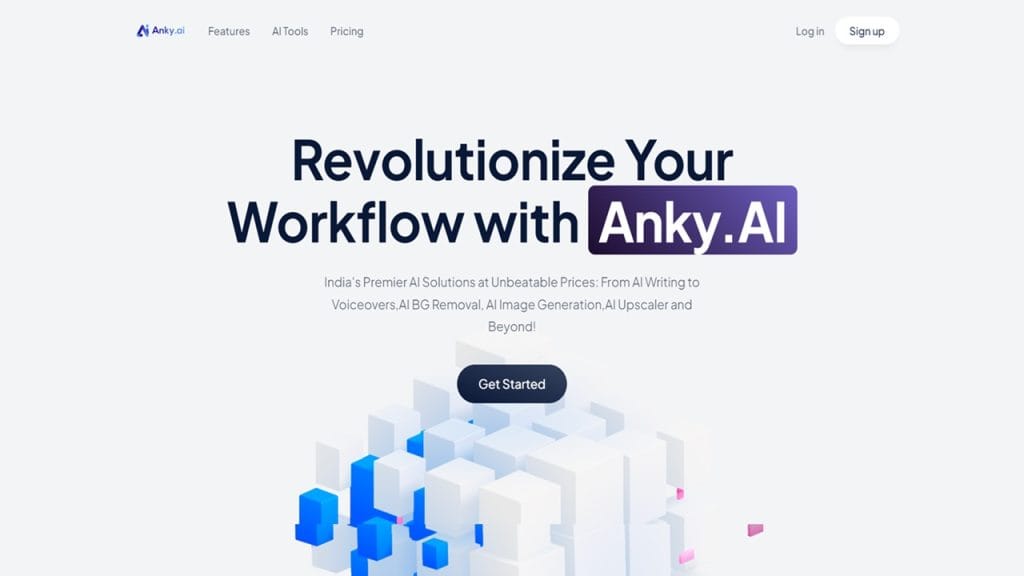
What is Anky.AI?
Anky.AI is an all-in-one creative assistant powered by artificial intelligence, designed for both casual users and professional content creators. Whether you’re editing an image, enhancing video quality, or generating stunning visual content from scratch, Anky.AI simplifies the process with smart automation.
In today’s content-driven world, where time is of the essence and quality is non-negotiable, Anky.AI steps in to streamline your workflow. It saves you hours of manual effort while delivering studio-grade output—no technical expertise required.
Key Features
- AI-Powered Image Editing: Clean up, color correct, and retouch photos with a single click—perfect for product shots or social media posts.
- Video Enhancer: Improve resolution, stabilize shaky footage, and enhance clarity with frame-by-frame AI analysis.
- Background Remover & Replacer: Remove or change backgrounds instantly without losing detail. Ideal for eCommerce, thumbnails, or presentations.
- AI Cut & Edit Tool: Automatically trim, merge, and stylize videos to match popular formats (YouTube, Instagram, TikTok).
- Templates & Presets: Choose from a wide array of intelligent design templates for consistent branding and quick turnaround.
✅ Pros
- Time-Saving Automation: Spend less time editing and more time creating. Anky.AI automates complex edits in seconds.
- Easy to Use Interface: Designed for users of all skill levels—no steep learning curve required.
- High-Quality Output: AI ensures crystal-clear visuals and professional results even from low-res sources.
- Cloud-Based Platform: No need for downloads or installations—access your projects from anywhere, anytime.
❌ Cons
- Limited Features on Free Plan: Many advanced tools are locked behind a paywall.
- Dependent on Internet Connection: Since it’s cloud-based, offline editing isn’t possible.
- Learning Curve for Advanced Tools: While basics are beginner-friendly, mastering all features might take time.
Who is Using Anky.AI?
Primary Users:
Anky.AI is embraced by a diverse group of creative professionals, including professional photographers, videographers, digital artists, social media managers, and small business owners who rely heavily on visual content. Its accessibility also makes it popular among hobbyists and content creators looking for an easy way to enhance their work without investing in expensive software.
Use Cases:
- Social Media Content Creation: Marketers and influencers use Anky.AI to quickly generate eye-catching images and videos that boost engagement across platforms like Instagram, TikTok, and Facebook.
- E-commerce Product Presentation: Online sellers utilize the background removal and image enhancement features to create polished product photos that increase buyer confidence.
- Video Editing for Freelancers: Freelance videographers take advantage of the AI-powered video enhancement and editing tools to deliver professional-quality videos efficiently, meeting tight deadlines without sacrificing quality.
Pricing
Anky.AI offers a flexible pricing model designed to suit different needs and budgets.
- Basic (Free): $0/month — Includes access to core features such as basic image editing, video enhancer, and limited AI template options. Suitable for casual users and those testing the platform.
- Pro Plan: $15/month — Unlocks advanced editing tools, higher resolution exports, priority processing speed, and extended video length limits. Ideal for freelancers and small businesses.
- Enterprise Plan: Custom Pricing — Designed for large teams and organizations requiring collaboration features, API access, and dedicated support.
Note: For the most up-to-date pricing and plan details, please visit Anky.AI’s official website.
What Makes Anky.AI Unique?
Anky.AI stands out in the crowded market of AI creative tools for several reasons. Its core strength lies in its ability to combine powerful AI technology with user-friendly design, making advanced editing accessible to everyone. Unlike traditional software that requires manual effort and expertise, Anky.AI leverages smart automation to handle complex tasks effortlessly.
Additionally, its seamless integration of image and video editing in a single platform saves users the hassle of juggling multiple apps. The cloud-based architecture ensures that users can access their work from anywhere without the need for heavy hardware, a significant advantage for remote teams and mobile creatives.
Compatibilities and Integrations
- Adobe Photoshop: Supports export and import for seamless workflow between platforms.
- After Effects: Compatible for enhanced motion graphics and compositing needs.
- DaVinci Resolve: Allows smooth video file transfer for color grading and professional editing.
- Hardware Compatibility: Fully optimized for Apple Silicon, Nvidia, and AMD GPUs, ensuring efficient performance across modern devices.
- Standalone Application: Yes — Anky.AI runs fully as a cloud-based platform without requiring local installations, accessible through any modern web browser.
Tutorials and Resources of Anky.AI
Anky.AI offers a variety of learning resources to help users get the most out of the platform, whether you’re a beginner or an experienced creator. Here’s what you can access:
- Getting Started Guides: Step-by-step walkthroughs for new users to familiarize themselves with the basic features and interface.
- Video Tutorials: A library of video guides covering everything from simple edits to advanced features like video enhancement and background removal.
- Knowledge Base: Comprehensive documentation addressing frequently asked questions, troubleshooting tips, and detailed explanations of each feature.
- Community Forum: An interactive space where users can share tips, ask questions, and engage with other Anky.AI users.
- Webinars and Live Demos: Regularly hosted sessions that dive deep into specific tools, offering a chance to learn directly from the team.
These resources make it easy for both beginners and professionals to get up to speed quickly and start creating stunning content with minimal effort.
How We Rated It
Here’s how we rate Anky.AI based on our hands-on experience:
Category | Rating |
Accuracy and Reliability | ⭐⭐⭐⭐⭐ (5/5) |
Ease of Use | ⭐⭐⭐⭐⭐ (5/5) |
Functionality and Features | ⭐⭐⭐⭐⭐ (5/5) |
Performance and Speed | ⭐⭐⭐⭐☆ (4/5) |
Customization and Flexibility | ⭐⭐⭐⭐☆ (4/5) |
Data Privacy and Security | ⭐⭐⭐⭐⭐ (5/5) |
Support and Resources | ⭐⭐⭐⭐⭐ (5/5) |
Cost-Efficiency | ⭐⭐⭐⭐☆ (4/5) |
Integration Capabilities | ⭐⭐⭐⭐⭐ (5/5) |
Overall Score | ⭐⭐⭐⭐⭐ (4.5/5) |
Anky.AI is a powerful, user-friendly AI creative tool that simplifies the editing process for users of all skill levels. Whether you’re a content creator looking to improve your social media posts, an e-commerce seller trying to enhance product images, or a videographer needing professional-level video edits, Anky.AI can help streamline your workflow. Its standout features include AI-powered image and video enhancements, ease of use, and robust integration capabilities with popular platforms like Adobe Photoshop and DaVinci Resolve.
While the tool offers great value, some users may find the limited features on the free plan a bit restrictive, and the advanced features may take some time to fully master. However, with excellent support, solid performance, and a growing library of resources, Anky.AI remains an outstanding choice for anyone looking to boost their content creation process.