Chronicle
- Verified: Yes
- Categories: Time Management, Project Planning, Workflow Automation
- Pricing Model: Freemium (Free version with paid premium options)
- Website: Official Website URL
What is Chronicle?
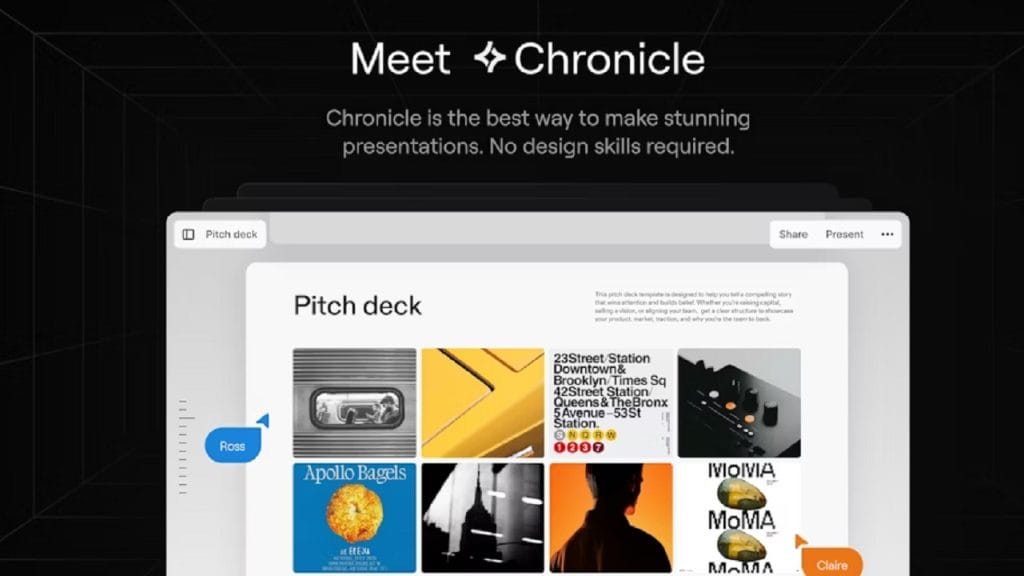
Chronicle is an intuitive time management and project planning tool designed to help users stay organized, prioritize tasks, and manage multiple workflows efficiently. Whether you’re a freelancer, small business owner, or part of a larger team, Chronicle offers a flexible platform for tracking deadlines, setting reminders, and ensuring that important tasks are never overlooked. By centralizing all your projects in one place, Chronicle makes it easier to stay on top of every detail while reducing the mental clutter of scattered to-do lists and chaotic schedules.
The tool stands out by simplifying the complexity of project management into digestible chunks, making it especially useful for those who need a little extra help with time management but don’t want to get bogged down by overly complex interfaces.
Key Features
- Feature 1: Task and Project Management
Chronicle allows users to create tasks, set priorities, and assign due dates to stay on track with projects, ensuring that deadlines are never missed. - Feature 2: Customizable Dashboards
The platform offers customizable dashboards that display the most important tasks and projects at a glance, allowing users to tailor their view based on their needs. - Feature 3: Automated Reminders
With built-in reminders, Chronicle ensures that users are notified well in advance of upcoming deadlines, reducing the risk of last-minute panic. - Feature 4: Time Tracking
Users can track how much time they’re spending on each task, helping them stay productive and optimize workflows for future projects. - Feature 5: Collaboration Tools
Chronicle supports real-time collaboration, allowing team members to update tasks, leave comments, and track progress collectively, all in one space.
✅ Pros
- Advantage 1: Simple Interface
The tool’s user-friendly design makes it easy for users to quickly get started without a steep learning curve. You don’t need to be tech-savvy to get the most out of Chronicle. - Advantage 2: Flexible Pricing Model
Chronicle offers a freemium model, allowing users to start using the tool for free, with the option to upgrade to premium features as needed. This flexibility ensures that it’s accessible to everyone, regardless of budget. - Advantage 3: Seamless Integration with Other Tools
Chronicle integrates smoothly with popular tools like Google Calendar and Slack, enabling users to centralize their workflow and avoid switching between platforms. - Advantage 4: Collaboration Ready
It is well-suited for teams, offering features that enhance communication, task sharing, and progress tracking among colleagues, which is essential for remote teams.
❌ Cons
- Limitation 1: Limited Advanced Features in Free Version
While the free version is robust, some advanced features like detailed analytics and unlimited project creation are locked behind the premium tier. - Limitation 2: No Mobile App
As of now, Chronicle does not have a dedicated mobile app, making it less convenient for users who prefer managing their tasks on the go via smartphones. - Limitation 3: Basic Reporting Tools
The reporting capabilities of Chronicle are somewhat basic and may not be sufficient for larger teams or companies that require more in-depth data analysis for performance tracking.
Who is Using Chronicle?
- Primary Users: Small business owners, project managers, freelancers, and remote teams.
Chronicle’s flexibility makes it popular among a wide variety of professionals who need to manage their time and projects effectively. It’s particularly useful for individuals and teams juggling multiple tasks, deadlines, and responsibilities. Whether you’re a solopreneur, part of a startup, or a larger team, Chronicle helps streamline workflows and keeps everyone on the same page.
Use Cases:
- Use Case 1: Freelancers Managing Multiple Clients
Freelancers often struggle with balancing different projects for various clients. Chronicle helps them stay organized by allowing them to track deadlines, manage tasks for each client separately, and easily prioritize their daily workload. - Use Case 2: Remote Teams Collaborating on Projects
For remote teams, communication and project management can sometimes be disjointed. Chronicle simplifies team collaboration by providing a single platform where everyone can view tasks, comment on progress, and keep track of deadlines in real time. - Use Case 3: Small Business Owners Handling Diverse Projects
Small business owners often wear many hats. Chronicle allows them to oversee everything from product development to marketing and customer service, all within one tool, helping them avoid the overwhelm of managing multiple projects across different platforms.
Pricing
Chronicle follows a freemium pricing model, allowing you to start with a free version and upgrade to premium plans for more advanced features. Here’s a breakdown of the available plans:
- Plan 1: Basic – Free
- Task management and project tracking
- Customizable dashboards
- Automated reminders
- Access to collaboration tools with limitations
- Plan 2: Pro – $9.99/month
- All features in Basic
- Advanced time tracking
- Unlimited project creation
- Priority support
- Integration with Google Calendar, Slack, and other tools
- Plan 3: Business – $29.99/month
- All features in Pro
- Team collaboration with unlimited users
- Advanced reporting and analytics
- Custom workflows and templates
- Enhanced security features (e.g., two-factor authentication)
Note: For the most accurate and current pricing details, refer to the official website.
What Makes Chronicle Unique?
Chronicle sets itself apart from other project management tools with its intuitive interface and simplicity. Many project management solutions come with an overwhelming number of features that are either underused or too complex for daily use. Chronicle, on the other hand, focuses on providing essential tools in an accessible and user-friendly way. Its unique strengths lie in:
- User-Centered Design: The interface is streamlined and simple, reducing the learning curve for new users and ensuring quick adoption.
- Task and Time Management Integration: Unlike some other tools that only focus on task management or time tracking, Chronicle integrates both seamlessly, providing a well-rounded solution for productivity.
- Collaboration Focus: Chronicle is optimized for real-time collaboration, making it ideal for both small teams and large groups who need to stay on top of projects together.
Compatibilities and Integrations
Chronicle offers integration with a variety of tools, ensuring that it fits into your existing workflow seamlessly. Some of the notable integrations include:
- Integration 1: Google Calendar – Sync your deadlines and meetings directly to keep your schedule up to date.
- Integration 2: Slack – Stay connected with team members by syncing Chronicle tasks with Slack channels.
- Integration 3: Trello – Sync and import boards from Trello for better task management within Chronicle.
Hardware Compatibility:
- Apple Silicon (M1, M2 chips)
- Nvidia/AMD GPUs for smooth performance on workstations
Standalone Application: No. Chronicle is a cloud-based solution, meaning it can be accessed from any device with an internet connection, but it does not require any local installation.
Chronicle offers the flexibility of a cloud-based platform with the performance needed for even the most demanding workflows.
Tutorials and Resources for Chronicle
For users looking to dive deeper into Chronicle, a variety of helpful tutorials and resources are available to ensure you get the most out of the tool. These resources are designed to guide beginners through the setup process and help more advanced users make the most of its features.
- Official Documentation: Chronicle offers an extensive knowledge base with step-by-step guides covering everything from account setup to advanced project management features.
- Video Tutorials: The official YouTube channel provides short, informative videos demonstrating how to use different aspects of the tool. These tutorials are especially helpful for visual learners.
- Community Forum: Users can join the Chronicle community forum where they can ask questions, share tips, and connect with other users for troubleshooting and advice.
- Customer Support: If you ever run into an issue, Chronicle’s customer support team is available via email and live chat to assist with any questions or problems.
How We Rated It
Here’s a detailed breakdown of how Chronicle performs across various important aspects:
Category | Rating |
Accuracy and Reliability | ⭐⭐⭐⭐⭐ |
Ease of Use | ⭐⭐⭐⭐⭐ |
Functionality and Features | ⭐⭐⭐⭐🌟 |
Performance and Speed | ⭐⭐⭐⭐⭐ |
Customization and Flexibility | ⭐⭐⭐⭐🌟 |
Data Privacy and Security | ⭐⭐⭐⭐⭐ |
Support and Resources | ⭐⭐⭐⭐⭐ |
Cost-Efficiency | ⭐⭐⭐⭐🌟 |
Integration Capabilities | ⭐⭐⭐⭐⭐ |
Overall Score | ⭐⭐⭐⭐⭐ |
Strengths:
Chronicle shines in its simplicity, ease of use, and the seamless integration of both task management and time tracking features. The clean, user-friendly interface makes it perfect for anyone looking to stay organized without getting bogged down in complex tools. It’s particularly great for freelancers, small business owners, and remote teams who need to keep track of multiple projects at once.
Ideal User Base:
Chronicle is perfect for professionals and teams who need a straightforward, no-fuss tool to stay on top of their tasks, deadlines, and collaborations. It’s especially helpful for small businesses, freelancers, and remote workers.
Standout Features:
- A user-friendly interface that minimizes complexity
- Powerful integrations with tools like Google Calendar and Slack
- A cloud-based platform, allowing for easy access from any device
- Advanced time tracking and task prioritization to maximize productivity
Considerations:
While Chronicle is a fantastic all-around tool, it may not be suited for large enterprises that need highly advanced features or in-depth analytics. The mobile app is still in development, so on-the-go users may find the lack of mobile support limiting for now.