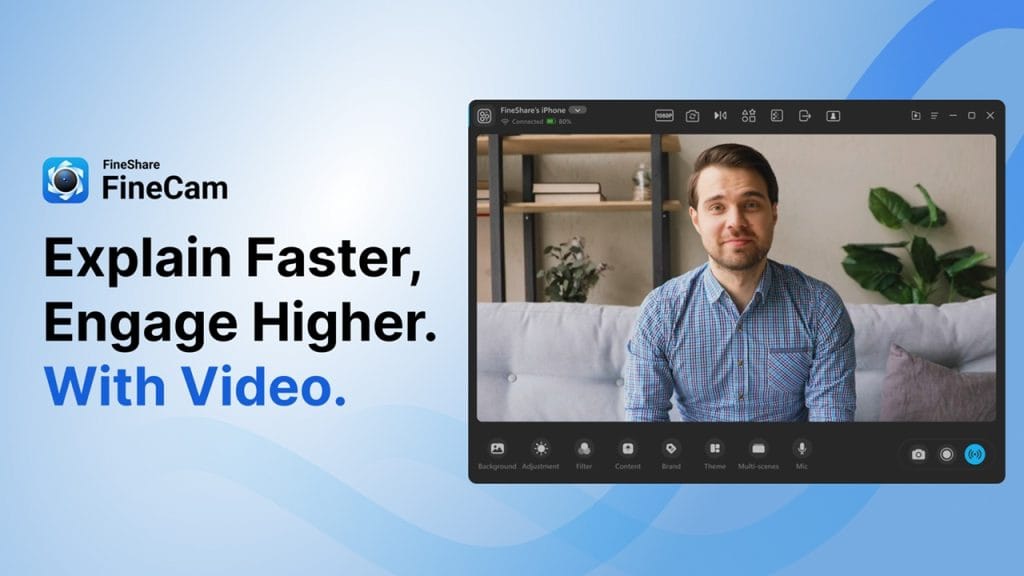
What is FineShare FineCam?
FineShare FineCam is a versatile webcam software designed to upgrade your video calling, streaming, and recording experience. Whether you’re a remote worker, a content creator, or a teacher, this tool enhances your webcam feed by offering crisp, professional-quality video with customizable backgrounds, real-time filters, and advanced AI features. No more worrying about poor lighting or cluttered rooms during your online meetings or live streams — FineCam helps you look your best effortlessly!
Key Features
- HD Video Enhancement: Instantly upgrade your webcam feed to full HD or even 4K resolution, making your video crystal clear.
- Virtual Backgrounds & Effects: Replace or blur your background with AI-powered tools, perfect for privacy or creative streams.
- Screen & Media Sharing: Share your screen or media files seamlessly within your video calls without extra software.
- Multi-Source Integration: Combine webcam feed with other video sources like images, videos, or slides for professional presentations.
- Real-time Adjustments: Adjust brightness, contrast, and saturation on the fly, ensuring perfect lighting in any environment.
✅ Pros
- User-Friendly Interface: Easy to navigate, even for beginners, so you can set up your webcam look in minutes without any tech headaches.
- Customization Galore: From virtual backgrounds to video filters, you have creative control to tailor your video feed exactly how you want.
- Performance Optimized: Runs smoothly without lag or heavy CPU usage, even on mid-range PCs, making it perfect for long calls or streams.
- Privacy Focused: The tool keeps your data safe and never stores your video feeds on its servers, giving peace of mind during private meetings.
❌ Cons
- Limited Mac Support: While available on Windows, the Mac version is still developing and lacks some advanced features.
- Premium Features Locked: Some powerful tools, like 4K resolution and certain backgrounds, require a paid subscription.
- Requires Stable Internet: For optimal AI background effects and streaming, you need a strong internet connection to avoid glitches.
Who is Using FineShare FineCam?
Primary Users:
FineShare FineCam is popular among remote professionals, content creators, educators, and anyone who relies heavily on webcam communication. It’s especially favored by those who want to present themselves in the best possible light without investing in expensive hardware or complicated setups.
Use Cases:
- Remote Work and Virtual Meetings: With the rise of remote work, professionals use FineCam to ensure their video calls look polished, enhancing their presence in virtual meetings. The ability to blur or change backgrounds helps maintain privacy and professionalism.
- Live Streaming and Content Creation: Streamers and vloggers turn to FineCam for its smooth integration with popular streaming platforms. It allows them to add dynamic effects, improve video quality, and mix different video sources to create engaging content.
- Online Teaching and Webinars: Educators use FineCam to deliver lessons with clear visuals and minimal distractions. Features like screen sharing and virtual backgrounds make teaching more interactive and visually appealing.
Pricing
FineShare FineCam offers flexible pricing plans to suit different needs:
- Basic (Free): Includes essential features like HD video enhancement and basic virtual backgrounds. Ideal for casual users or those trying out the software.
- Pro Plan: Priced at around $9.99/month, this plan unlocks advanced features such as 4K video quality, premium backgrounds, and multi-source support. Perfect for professionals who need more customization and higher video quality.
- Business Plan: Designed for teams and organizations, this plan includes everything in Pro plus priority support, multiple licenses, and additional collaboration tools. Pricing varies based on the number of users.
Note: For the most accurate and up-to-date pricing, always check the official FineShare FineCam website.
What Makes FineShare FineCam Unique?
FineShare FineCam stands out due to its combination of powerful AI technology and user-friendly design. Unlike many webcam enhancement tools, it offers real-time adjustments that don’t compromise system performance, ensuring smooth, high-quality video even on less powerful machines. Its virtual background technology is especially refined, providing natural edges without the need for green screens. The multi-source integration feature also gives users the ability to combine various media inputs effortlessly, which is a rare find in webcam software. Overall, it strikes a great balance between advanced features and simplicity.
Compatibilities and Integrations
- Integration 1: Works seamlessly with popular video conferencing and streaming platforms such as Zoom, Microsoft Teams, and OBS Studio.
- Integration 2: Compatible with video editing tools that accept webcam input, facilitating easy content creation workflows.
- Integration 3: Supports integration with media sharing apps, making it easy to share files directly during calls or streams.
- Hardware Compatibility: Supports a wide range of hardware, including Apple Silicon Macs and computers with Nvidia and AMD GPUs, ensuring broad accessibility.
- Standalone Application: Yes, FineCam operates as a standalone application, allowing users to control all features independently of other software.
Tutorials and Resources of FineShare FineCam
Getting started with FineShare FineCam is straightforward, thanks to the wealth of tutorials and resources available. On their official website, you’ll find detailed step-by-step guides covering everything from basic setup to advanced features like multi-source integration and virtual backgrounds. Video tutorials are also available on their YouTube channel, providing clear demonstrations that walk users through various functions. For users who prefer written material, the online documentation answers most common questions and troubleshooting tips, making it easy to resolve issues without waiting for support. Plus, their active user community forums offer additional help, tips, and tricks shared by experienced users.
How We Rated It
Criteria | Rating |
Accuracy and Reliability | ⭐⭐⭐⭐⭐ |
Ease of Use | ⭐⭐⭐⭐ |
Functionality and Features | ⭐⭐⭐⭐ |
Performance and Speed | ⭐⭐⭐⭐⭐ |
Customization and Flexibility | ⭐⭐⭐⭐ |
Data Privacy and Security | ⭐⭐⭐⭐⭐ |
Support and Resources | ⭐⭐⭐⭐ |
Cost-Efficiency | ⭐⭐⭐⭐ |
Integration Capabilities | ⭐⭐⭐⭐ |
Overall Score | ⭐⭐⭐⭐ |
Final Thoughts:
FineShare FineCam shines as a comprehensive webcam enhancement tool designed to elevate your video communication experience. Its strengths lie in delivering sharp video quality with smooth performance, a variety of customization options, and a strong focus on privacy. Whether you’re a professional working remotely, a streamer, or an educator, FineCam offers tools that suit a wide range of needs without overwhelming complexity. While it’s priced competitively, unlocking the full potential requires a subscription, which is something to consider. Overall, FineShare FineCam is an excellent choice for anyone looking to upgrade their webcam setup without investing in expensive hardware or complicated software.