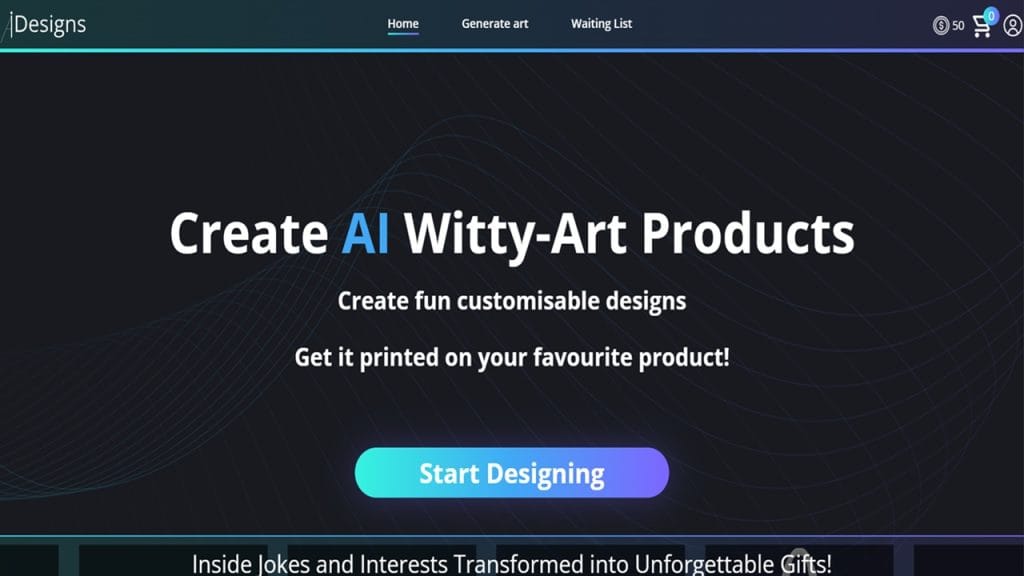
What is Idesigns?
Idesigns is a versatile and user-friendly image editing and graphic design tool that caters to both beginners and professionals. Whether you’re creating stunning social media posts, designing logos, or editing photos, Idesigns makes the entire creative process smooth and enjoyable. It solves common issues like complex software interfaces and limited design templates by offering an intuitive platform packed with powerful features.
With Idesigns, you can say goodbye to hours spent figuring out complicated tools. It’s designed to bring out your creativity effortlessly, helping you produce professional-quality visuals without needing advanced skills.
Key Features
- Feature 1: Drag-and-Drop Interface
Easily arrange and customize your designs with a simple drag-and-drop system, making design accessible even if you’re not tech-savvy. - Feature 2: Extensive Template Library
Choose from hundreds of pre-made templates for social media, marketing materials, presentations, and more—saving you time and boosting creativity. - Feature 3: Advanced Photo Editing Tools
Apply filters, adjust colors, crop, and enhance images with professional-grade editing options right at your fingertips. - Feature 4: Collaborative Workspace
Work together with team members in real-time, making project collaboration seamless and efficient. - Feature 5: Export in Multiple Formats
Download your designs in various formats such as PNG, JPEG, PDF, or even SVG for different use cases and platforms.
✅ Pros
- User-Friendly for All Levels: Whether you’re a beginner or a pro, Idesigns’s intuitive design keeps things simple and straightforward.
- Rich Template Selection: The vast library gives you plenty of creative freedom and inspiration.
- Real-Time Collaboration: Ideal for teams working remotely, allowing smooth communication and shared edits.
- Flexible Pricing: The freemium model lets you test the platform before committing to premium features.
❌ Cons
- Limited Free Features: Some advanced tools and templates are locked behind the subscription, which may frustrate free users.
- Performance Can Lag: With heavy projects, the platform may experience occasional slowdowns, especially on older devices.
- No Offline Mode: Idesigns requires a constant internet connection, limiting use in low-connectivity areas.
Who is Using Idesigns?
Primary Users:
Idesigns attracts a diverse group of creative professionals, including graphic designers, social media marketers, small business owners, and digital artists. Its ease of use and powerful features make it a popular choice for anyone who needs to create polished visuals quickly without investing too much time in learning complex software.
Use Cases:
- Social Media Content Creation: Marketers and influencers rely on Idesigns to craft eye-catching posts, stories, and banners that boost engagement and grow their online presence.
- Branding and Logo Design: Small businesses and startups use Idesigns to develop consistent branding materials such as logos, business cards, and flyers without hiring expensive design agencies.
- Presentation and Marketing Materials: Professionals prepare presentations, brochures, and advertisements easily by leveraging ready-made templates and custom design tools.
Pricing
- Plan 1: Free Plan – $0/month
Basic access to essential editing tools and a limited selection of templates, suitable for casual users and beginners testing the platform. - Plan 2: Pro Plan – $12.99/month
Unlocks premium templates, advanced editing features, unlimited projects, and higher export quality. Ideal for freelancers and regular users. - Plan 3: Team Plan – $29.99/month per user
Designed for collaborative work, this plan includes all Pro features plus team management tools, real-time collaboration, and priority support.
Note: For the most accurate and up-to-date pricing, always check the official Idesigns website.
What Makes Idesigns Unique?
Idesigns stands out in a crowded market thanks to its perfect balance between simplicity and power. Unlike many complex design tools that intimidate beginners, Idesigns offers an intuitive drag-and-drop interface combined with professional-grade features. Its real-time collaboration capabilities also make it a go-to solution for teams working remotely.
Another key differentiator is the extensive and continually updated template library. This allows users to create professional designs faster without compromising creativity. Finally, the flexible freemium pricing model lets users explore the platform thoroughly before deciding to invest, which builds trust and user satisfaction.
Compatibilities and Integrations
- Integration 1: Adobe Photoshop – Users can import and export files between Idesigns and Photoshop seamlessly, enabling enhanced editing workflows.
- Integration 2: Slack – For teams, Slack integration helps streamline communication and project updates without leaving the design workspace.
- Integration 3: Google Drive – Easy access to cloud storage means users can save and retrieve their projects directly from Google Drive.
Hardware Compatibility: Idesigns is optimized for both Apple Silicon and Windows PCs equipped with Nvidia and AMD GPUs, ensuring smooth performance across popular platforms.
Standalone Application: Yes, Idesigns offers a standalone desktop application in addition to its web-based platform, providing flexibility for users who prefer working offline.
Tutorials and Resources of Idesigns
Idesigns offers a comprehensive range of tutorials and learning materials designed to help users get up to speed quickly and make the most out of the platform. Whether you are a beginner or a seasoned designer, you’ll find detailed step-by-step guides, video tutorials, and an extensive FAQ section on their official website.
These resources cover everything from basic tool navigation to advanced design techniques, ensuring that users have the support they need at every stage. Additionally, an active user community forum allows designers to exchange tips, troubleshoot issues, and share creative ideas, further enriching the learning experience.
How We Rated It
Criterion | Rating (out of 5) | Emoji Rating |
Accuracy and Reliability | 4.5 | ⭐⭐⭐⭐✨ |
Ease of Use | 4.7 | ⭐⭐⭐⭐⭐ |
Functionality and Features | 4.3 | ⭐⭐⭐⭐✨ |
Performance and Speed | 4.0 | ⭐⭐⭐⭐ |
Customization and Flexibility | 4.4 | ⭐⭐⭐⭐✨ |
Data Privacy and Security | 4.6 | ⭐⭐⭐⭐⭐ |
Support and Resources | 4.5 | ⭐⭐⭐⭐✨ |
Cost-Efficiency | 4.2 | ⭐⭐⭐⭐ |
Integration Capabilities | 4.3 | ⭐⭐⭐⭐✨ |
Overall Score | 4.4 | ⭐⭐⭐⭐✨ |
Idesigns excels as a well-rounded image editing and design tool that caters to a wide range of users—from social media managers to small business owners and creative professionals. Its standout features include a highly intuitive interface, an extensive library of templates, and robust collaboration tools, making it a great choice for both individual creators and teams.
While it does have some limitations like the lack of offline mode in the web app and occasional performance slowdowns on heavier projects, its strengths far outweigh the drawbacks. With a solid freemium model and a wealth of tutorials, Idesigns is an excellent option for anyone looking to produce professional-quality visuals without a steep learning curve or expensive software.