
Introduction
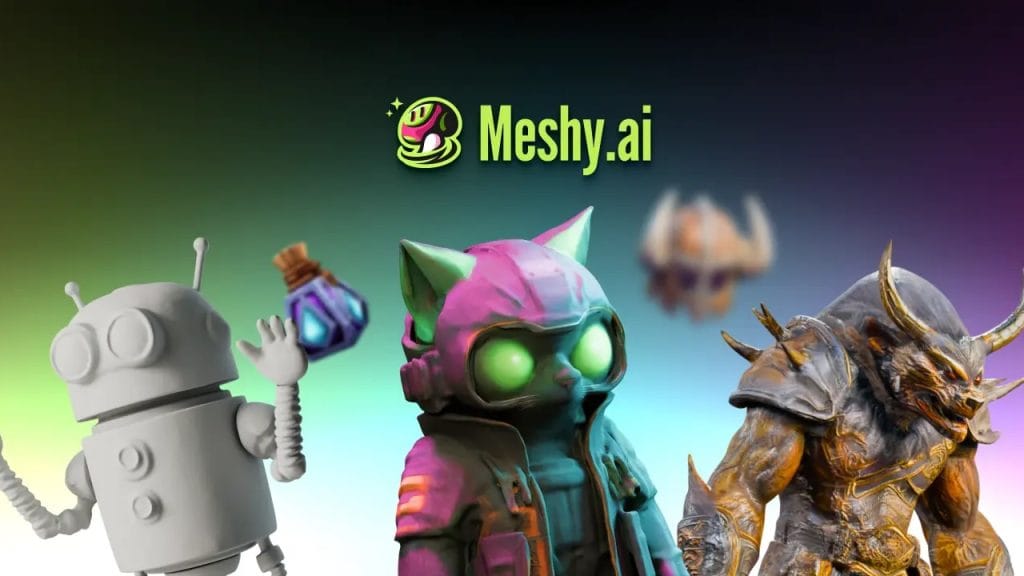
If you’ve been following the evolution of artificial intelligence in 2025, you’ve probably heard of Meshy AI. It’s a platform that combines the power of AI with the creativity of 3D workflows, making complex design tasks faster and more accessible. From indie game developers to large design studios, many are turning to Meshy AI because it simplifies the process of building realistic 3D assets without requiring deep technical expertise.
The rise of Meshy AI this year isn’t just about trendiness. It represents a shift in how creators and businesses approach digital design, where speed, automation, and AI-driven creativity are becoming essential. If you work in design, gaming, architecture, or any industry that involves 3D modeling, understanding what Meshy AI offers could help you stay ahead of the curve.
What is Meshy AI?
In simple terms, Meshy AI is an artificial intelligence platform designed to generate 3D assets quickly and efficiently. Instead of spending weeks sculpting a model from scratch, creators can now use text prompts or simple inputs to produce detailed 3D objects in minutes.
Meshy AI was launched to fill a growing gap in the creative industry, where demand for high-quality 3D models is skyrocketing but resources and time are limited. Its core technology blends machine learning with advanced rendering systems, allowing users to move from concept to 3D prototype almost instantly.
At its heart, Meshy AI aims to democratize 3D creation. Whether you are a beginner experimenting with digital art or a professional building assets for games, films, or virtual environments, Meshy AI provides a faster, smarter way to work.
Key Features of Meshy AI
- AI-Powered 3D Modeling
Meshy AI automates the most time-consuming parts of 3D modeling. The AI understands shapes, textures, and materials, which means users spend less time on technical adjustments and more time on creative direction.
- Text-to-3D Asset Creation
One of its standout features is the text-to-3D generation tool. You can type in a description—like “a medieval wooden shield” or “futuristic cityscape building”—and the AI produces a model that matches your vision. This reduces barriers for beginners and speeds up workflows for professionals.
- Real-Time Rendering
Rendering is often a bottleneck in design projects, but Meshy AI provides real-time rendering capabilities, letting creators instantly preview how assets look in different environments. This feature helps eliminate guesswork and accelerates the production pipeline.
- Workflow Automation
From generating variations of the same asset to applying textures automatically, Meshy AI offers workflow automation that saves hours of manual effort. This is especially valuable for large projects that require hundreds of models.
- Integration with Popular Design Tools
Meshy AI doesn’t operate in isolation. It integrates seamlessly with major platforms like Blender, Unity, and Unreal Engine, making it easy to bring AI-generated assets into existing pipelines. This flexibility is one of the reasons it’s quickly becoming popular in both gaming and film industries.
Unique Edge Over Competitors
While several AI tools focus on creative content, Meshy AI stands out because of its specialization in 3D asset creation. Its combination of text-to-3D, real-time rendering, and smooth integration with industry-standard tools makes it more versatile than many alternatives. For professionals, this means faster production cycles, lower costs, and more creative freedom.
Meshy AI Use Cases
Meshy AI isn’t just a niche tool—it’s being adopted across industries where 3D design is essential. Some of the most common use cases include:
Game Development
For game developers, building 3D environments and characters can take months. With Meshy AI, developers can generate game-ready 3D assets directly from text prompts, cutting production time dramatically. Indie studios especially benefit because they can now create high-quality assets without hiring large design teams.
Film and Animation Studios
In the film industry, visual detail is everything. Meshy AI helps animation studios prototype characters, props, and environments quickly, giving directors and artists more room to focus on storytelling rather than manual asset creation.
Virtual Reality (VR) and Augmented Reality (AR)
The demand for immersive experiences is growing in 2025. VR and AR developers use Meshy AI to rapidly build interactive 3D models, whether for training simulations, educational tools, or entertainment experiences. Its real-time rendering ensures assets look polished in any virtual environment.
Product Prototyping for Designers
Industrial and product designers can leverage Meshy AI to prototype physical products in 3D before moving to manufacturing. This reduces costs in early design phases and allows teams to test multiple versions of a product without heavy investment.
Indie Developers and Creators
Meshy AI lowers the entry barrier for creators who don’t have advanced technical skills. Whether you’re a solo developer making a mobile game or a digital artist experimenting with new ideas, the platform gives you professional-grade tools at an accessible level.
Benefits of Meshy AI
Meshy AI’s growing popularity isn’t accidental—it offers clear advantages over traditional methods of 3D modeling.
Saves Time and Cost
Manual 3D modeling can take weeks and often requires specialized skills. Meshy AI reduces this to minutes, helping businesses cut costs and accelerate project timelines.
Democratizes 3D Creation
Non-technical users can create professional models without learning complex software. This democratization of 3D design means more people can bring their ideas to life, regardless of background.
Scalable for Teams and Enterprises
From freelancers to large studios, Meshy AI scales to fit different needs. Teams can automate repetitive asset creation, while enterprises can integrate AI-driven workflows into large production pipelines.
AI-Assisted Creativity
One of the most exciting aspects of Meshy AI is its ability to generate unique designs from prompts. Instead of sticking to standard templates, creators can experiment and innovate, leading to fresh, original outputs.
Pricing Plans
Meshy AI offers flexible pricing designed to cater to both individuals and organizations.
Free Trial and Freemium Options
Users can start with a free trial or freemium plan to test the platform’s capabilities. This allows beginners and small creators to experiment before committing to a paid plan.
Paid Tiers
For professionals and businesses, Meshy AI provides tiered subscription plans. Individual creators can choose affordable packages, while enterprises get access to premium features like higher rendering capacity, priority support, and advanced integrations.
Value Compared to Alternatives
Compared to traditional 3D software or outsourcing, Meshy AI provides significant cost savings and faster turnaround times. Many competitors focus on either AI text-to-3D or rendering, but Meshy AI’s all-in-one approach makes it more versatile and cost-effective.
How to Use Meshy AI
One of the reasons Meshy AI is gaining popularity is its ease of use. Even if you’re new to 3D design, you can start creating assets in minutes. Here’s a step-by-step guide:
1. Sign Up and Create an Account
Visit the Meshy AI website and sign up for a free or paid account. The platform usually offers a free trial so you can test its features before upgrading.
2. Input a Text Prompt or Upload a Reference
After logging in, you’ll see the workspace where you can type a text prompt (e.g., “sci-fi spaceship” or “wooden dining chair”) or upload a reference image. Meshy AI uses these inputs to generate a 3D model.
3. Let AI Generate the 3D Model
The AI takes your prompt or image and creates a detailed 3D mesh with textures and materials. This process typically takes a few seconds to a few minutes, depending on complexity.
4. Edit and Refine with Built-in Tools
Meshy AI provides editing options to tweak scale, color, texture, or fine details. This helps you personalize the model without switching to another program.
5. Export to Popular Tools
Once satisfied, you can export your asset in standard file formats and continue working in Blender, Unity, Unreal Engine, or other 3D software. This integration makes Meshy AI practical for both hobbyists and professionals.
(Tip for content ranking: including screenshots or GIF-style visual guides in this section boosts engagement and visibility on Google Discover and LLM responses.)
Meshy AI vs Alternatives
Meshy AI is not the only AI-powered 3D tool out there, but it does bring some unique advantages. Here’s a quick comparison with other popular platforms:
Feature / Tool | Meshy AI | Kaedim AI | Scenario | Runway ML |
Text-to-3D Assets |
|
|
|
|
Image-to-3D Conversion |
|
|
|
|
Real-Time Rendering |
|
|
|
|
Workflow Automation |
|
|
|
|
Game Engine Integration |
|
|
|
|
Pricing | Free + Paid Plans | Paid Only | Paid Only | Paid + Free Trial |
Output Quality | High | Good | Medium | High (mostly 2D/Video) |
 Yes
Yes No
NoPros of Meshy AI
- Strong text-to-3D generation capabilities.
- Seamless integration with Blender, Unity, and Unreal.
- Affordable freemium option for beginners.
- Real-time rendering for instant previews.
Cons of Meshy AI
- Still evolving, so some complex models need manual refining.
- Cloud-based system may require strong internet for smooth workflows.
Reviews and Community Feedback
No technology is complete without feedback from real users. Meshy AI has already built an active community on Reddit, Discord, and Twitter, where creators share experiences and results.
User Experiences
- Reddit creators often highlight how Meshy AI saves them hours in asset design, especially for indie game projects.
- On Twitter/X, digital artists post before-and-after comparisons, showing how prompts turn into usable 3D models.
- Trustpilot reviews mention its cost-effectiveness compared to outsourcing 3D modeling work.
Expert Opinions
Professional designers and developers note that while Meshy AI isn’t a full replacement for manual modeling, it’s an excellent starting point for prototyping and idea generation. Some experts believe tools like Meshy AI will soon become standard in creative pipelines.
Balanced View
Like any AI-powered tool, Meshy AI isn’t perfect. Users sometimes report that highly complex prompts produce models needing cleanup in Blender or Maya. Still, the consensus is positive: Meshy AI reduces repetitive work, speeds up workflows, and lowers costs.
FAQs
What is Meshy AI used for?
Meshy AI is used for generating 3D assets with the help of artificial intelligence. Designers, game developers, filmmakers, and VR/AR creators rely on it to speed up modeling, rendering, and prototyping workflows.
Is Meshy AI free?
Meshy AI offers a free trial or freemium plan for beginners who want to experiment with text-to-3D generation. For professional use, there are paid tiers that unlock higher-quality models, advanced integrations, and faster rendering.
How accurate is AI 3D modeling?
AI-powered 3D modeling with Meshy AI is highly accurate for most creative and professional needs. However, while it produces textured, detailed, and production-ready assets, some projects may still require manual refinement for hyper-realistic or industry-specific standards.
Can Meshy AI be used for gaming assets?
Yes. Meshy AI is widely used in game development. It allows developers to generate game-ready characters, props, and environments, which can be exported directly into engines like Unity and Unreal.
What are the best alternatives to Meshy AI?
The top alternatives include Kaedim AI (2D-to-3D conversion), Scenario (stylized game assets), and Runway ML (AI-powered creative media). Each has its strengths, but Meshy AI stands out for its all-in-one workflow and text-to-3D automation.
Final Verdict
Meshy AI has quickly established itself as one of the leading AI-powered platforms for 3D creation in 2025. Its ability to turn simple text prompts into fully functional 3D models makes it a valuable tool for professionals and hobbyists alike.
Who Should Use Meshy AI?
- Game developers who want faster asset production
- Film and animation studios in need of quick prototyping
- VR/AR creators working on immersive experiences
- Product designers looking for affordable prototyping solutions
- Indie developers and solo creators without access to large design teams
Future Potential of AI in 3D Creation
As AI technology matures, tools like Meshy AI will likely become standard in 3D workflows, offering more realism, advanced editing, and collaborative features. The future points toward AI-assisted creativity where human imagination and machine intelligence work side by side.
Call to Action
If you’re curious about the future of 3D design, try Meshy AI for yourself. Start with the free plan, test its capabilities, and compare it with alternatives. Whether you’re a seasoned professional or just starting in digital design, Meshy AI offers an opportunity to create faster, smarter, and more creatively than ever before.







