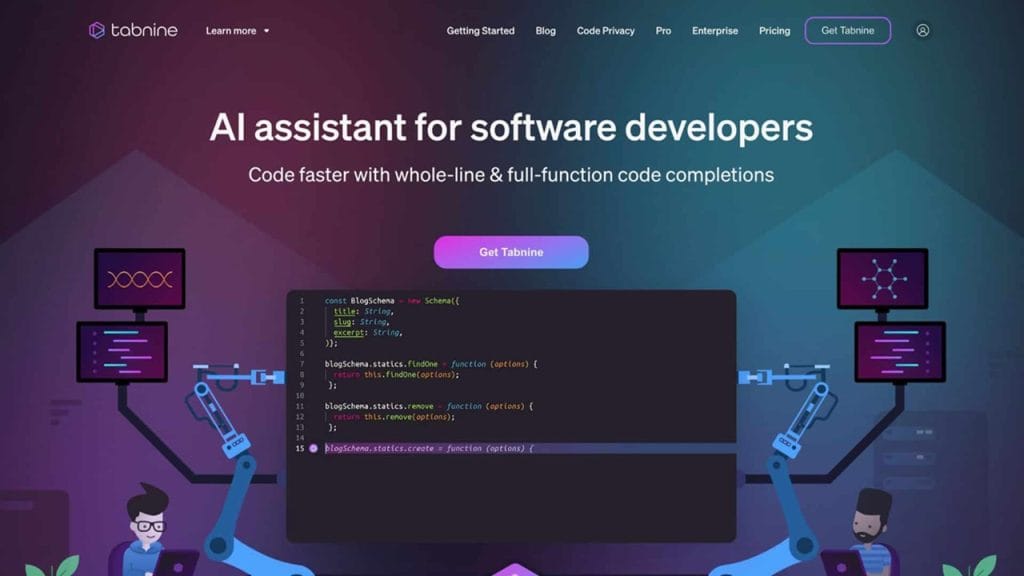
What is Tabnine?
Tabnine is an AI-powered coding assistant designed to streamline software development by offering intelligent code completions, error fixes, and documentation generation. It integrates seamlessly with popular Integrated Development Environments (IDEs) like VS Code, IntelliJ, and PyCharm, helping developers write code faster and with fewer errors. By leveraging advanced machine learning, Tabnine predicts and suggests code based on the context of your project, making it a valuable tool for coders looking to boost productivity while maintaining code privacy and compliance. Whether you’re debugging a tricky function or onboarding a new team member, Tabnine aims to simplify the coding process with tailored, context-aware suggestions.
Key Features
- AI-Powered Code Completions: Tabnine analyzes your codebase and coding patterns to provide real-time, context-aware code suggestions, reducing repetitive typing and speeding up development.
- Tabnine Chat: A natural language interface that allows developers to ask questions, generate tests, explain code, or create documentation without leaving their IDE.
- Code Privacy and Compliance: Tabnine ensures your code remains private with a zero-data retention policy for paid plans and local processing for the free tier.
- Multi-Language Support: Supports over 600 programming languages and frameworks, from Python and JavaScript to less common ones like Haskell and Julia.
- Team Learning Algorithm: For Pro users, Tabnine adapts to your team’s coding style, offering personalized suggestions based on your collective codebase.
✅ Pros
- Increased Productivity: Developers report saving significant time—up to 30% of coding tasks—thanks to Tabnine’s accurate code completions and automation features.
- Seamless IDE Integration: Works effortlessly with major IDEs, blending into your workflow without requiring complex setup or constant tool-switching.
- Strong Privacy Focus: Unlike some competitors, Tabnine prioritizes code security with options for local processing and isolated private models for enterprises.
- Versatile Language Support: Its ability to handle a vast array of programming languages makes it suitable for diverse projects, from web development to machine learning.
❌ Cons
- Resource Usage: On complex projects, Tabnine can demand significant system resources, potentially slowing down older machines or resource-intensive IDEs.
- Learning Curve for Advanced Features: While basic code completions are intuitive, leveraging features like Tabnine Chat or team learning requires some initial exploration.
- Internet Dependency for Full Functionality: The most efficient use of Tabnine, especially for cloud-based features, requires a stable internet connection, which may be a limitation in some scenarios.
Who is Using Tabnine?
- Primary Users: Software developers, development teams, freelancers, open-source contributors, and educational organizations.
- Use Cases:
- Accelerating Project Turnaround: Software development businesses use Tabnine to automate repetitive coding tasks, enabling faster delivery of projects and reducing time-to-market.
- Enhancing Learning for Junior Developers: Educational organizations and coding bootcamps leverage Tabnine to help students learn coding patterns and best practices, making it easier to understand complex codebases.
- Streamlining Freelance Workflows: Freelancers working on multiple client projects use Tabnine to boost productivity, allowing them to handle diverse coding tasks efficiently across various languages.
Pricing
- Basic Plan: Free – Includes local code completions, basic AI suggestions, and support for all major IDEs. Ideal for solo developers or those testing the tool.
- Pro Plan: $12/month per user – Adds Team Learning Algorithm, advanced context-aware suggestions, and Tabnine Chat for natural language interactions.
- Enterprise Plan: $39/month per user – Offers private model deployment, integration with tools like Jira and Confluence, and custom solutions for large teams. Contact Tabnine for tailored pricing. Note: For the most accurate and current pricing details, refer to the official website at www.tabnine.com.
What Makes Tabnine Unique?
Tabnine stands out in the crowded AI coding assistant market due to its unwavering commitment to code privacy and its ability to adapt to individual and team coding styles. Unlike some competitors, Tabnine offers a zero-data retention policy, ensuring your codebase remains secure, which is critical for enterprises in regulated industries like finance or healthcare. Its Team Learning Algorithm is another differentiator, allowing the AI to fine-tune suggestions based on your team’s unique coding patterns, making it feel like a bespoke tool tailored to your workflow. Additionally, Tabnine’s support for over 600 programming languages ensures it’s versatile enough for virtually any project, from niche open-source contributions to large-scale enterprise applications.
Compatibilities and Integrations
- Integration 1: Visual Studio Code
- Integration 2: IntelliJ IDEA
- Integration 3: GitHub (for codebase context and Team Learning)
- Hardware Compatibility: Compatible with Windows, macOS, and Linux systems; no specific GPU requirements.
- Standalone Application: No, Tabnine operates as a plugin within supported IDEs.
Tutorials and Resources of Tabnine
Getting started with Tabnine is straightforward, thanks to its comprehensive support resources. The official Tabnine website offers a detailed knowledge base with step-by-step guides on installing the plugin, configuring settings, and using advanced features like Tabnine Chat. Their YouTube channel includes video tutorials covering topics like optimizing code completions and integrating with specific IDEs. For enterprise users, Tabnine provides dedicated onboarding support and documentation tailored to private deployments. Community forums and blogs on the Tabnine website also offer practical tips, such as how to fine-tune the Team Learning Algorithm or troubleshoot performance issues. Developers can also find real-world examples and best practices on platforms like GitHub, where Tabnine’s team shares sample integrations.
How We Rated It
Category | Rating |
Accuracy and Reliability | ⭐⭐⭐⭐☆ 4/5 |
Ease of Use | ⭐⭐⭐⭐☆ 4/5 |
Functionality and Features | ⭐⭐⭐⭐⭐ 5/5 |
Performance and Speed | ⭐⭐⭐☆☆ 3/5 |
Customization and Flexibility | ⭐⭐⭐⭐☆ 4/5 |
Data Privacy and Security | ⭐⭐⭐⭐⭐ 5/5 |
Support and Resources | ⭐⭐⭐⭐☆ 4/5 |
Cost-Efficiency | ⭐⭐⭐⭐☆ 4/5 |
Integration Capabilities | ⭐⭐⭐⭐☆ 4/5 |
Overall Score | ⭐⭐⭐⭐☆ 4.2/5 |
Tabnine is a powerful AI coding assistant that shines for developers seeking to enhance productivity without compromising code privacy. Its standout features include context-aware code completions, extensive language support, and a robust privacy framework, making it ideal for solo developers, teams, and enterprises in regulated industries. While it may occasionally strain system resources and require a stable internet connection for optimal performance, its seamless IDE integrations and customizable suggestions outweigh these drawbacks. Best suited for software developers, freelancers, and educational organizations, Tabnine is a versatile tool that adapts to your coding style, helping you deliver cleaner, faster code with less effort.